Product

RECOMMENDED

FREE TRIAL

Resources
animation-1-min-1 Want to see for yourself? Check out our live preview.

Seamless integration with Braintree Braintree

How to track MRR, churn and LTV from Braintree

Connect Braintree to Baremetrics through a dedicated Baremetrics API user, using its public key, private key and merchant ID. Baremetrics turns your Braintree subscriptions and transactions into MRR, ARR, churn, LTV and dozens of other subscription metrics, across the merchant accounts you include.

What you get when you connect Braintree

Braintree keeps processing your payments. Baremetrics reads your Braintree subscriptions and transactions and reports on them:

  • MRR and ARR calculated from your Braintree subscriptions.
  • Customer and revenue churn, with upgrades, downgrades and reactivations.
  • LTV and ARPU, with segmentation to compare plans and customer groups.
  • Several merchant accounts in one dashboard. Baremetrics includes every merchant account the Baremetrics user can access.
  • One view across billing systems: add Stripe, Recurly or other sources from the same Data Connections page.
  • Failed-payment follow-up with Recover. Recover sends the customer follow-up for failed Braintree payments: an email sequence (7 emails by default), SMS, in-app banners and paywalls, plus a hosted card-update form that saves the new card back to Braintree. Payment retries stay with Braintree.
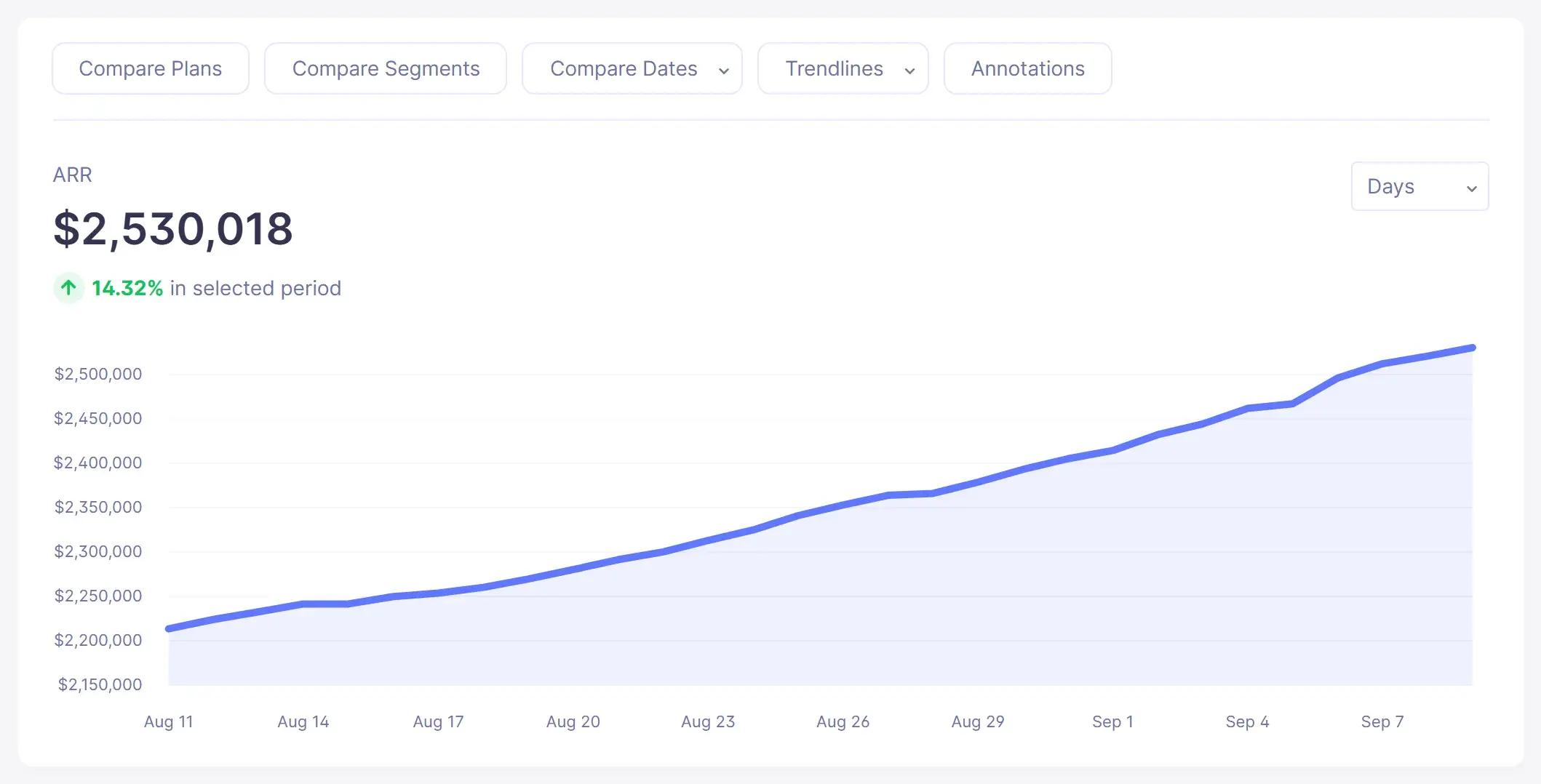
Annual Run Rate trend chart in Baremetrics (sample data)
ARR in the live demo
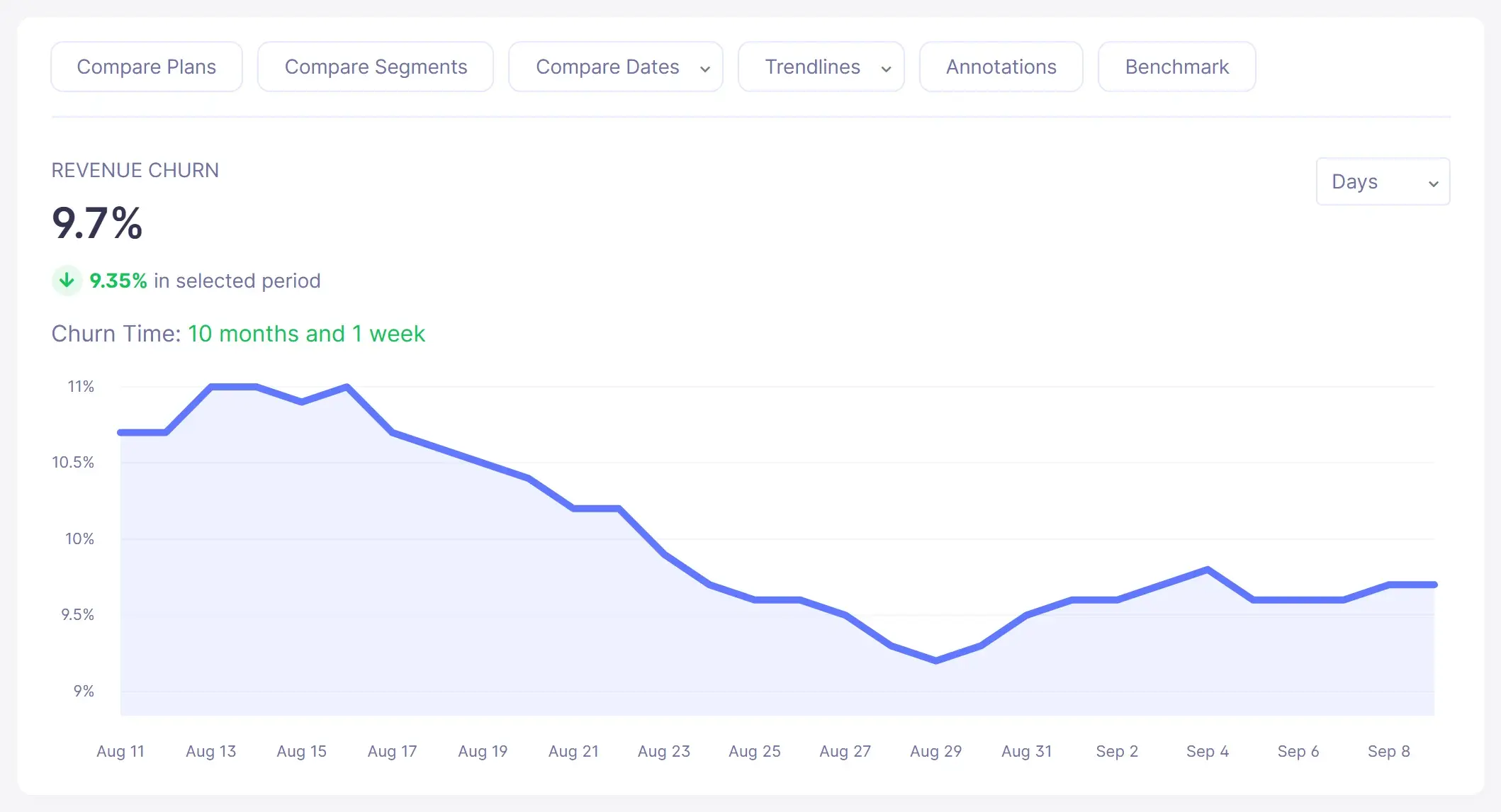
Revenue churn rate trend chart in Baremetrics (sample data)
Revenue churn in the live demo
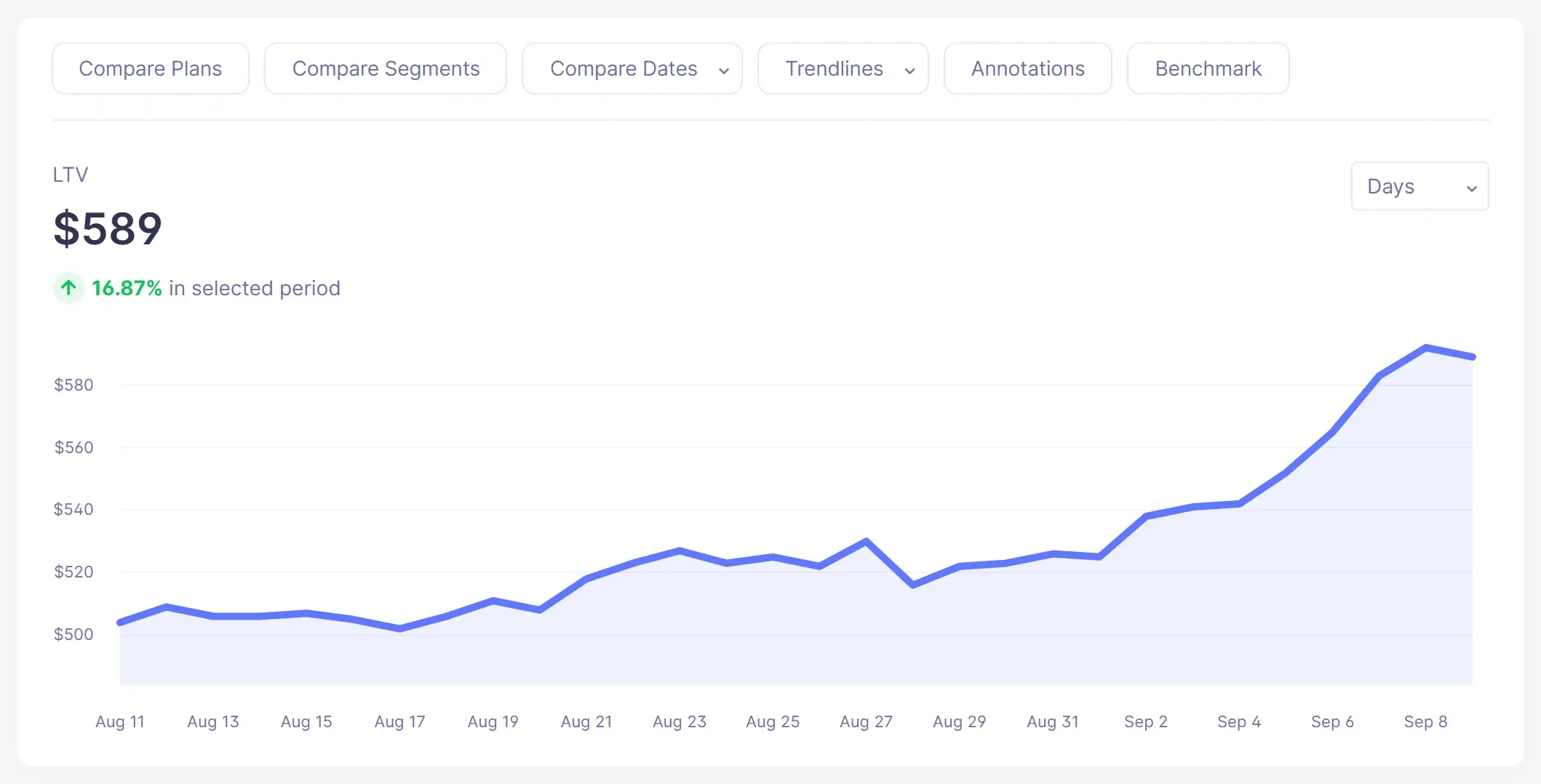
Customer lifetime value (LTV) trend chart in Baremetrics (sample data)
LTV in the live demo

Screenshots show sample demo data.

Source: Baremetrics Help Center, Braintree; Connecting your payment processors and data sources; Recover setup guide.

How does the Braintree connection work?

  1. Log in to Braintree as an admin.
  2. Create a role named Baremetrics under Settings, Users and Roles, Manage Roles, New. Give it these permissions: Download Transactions with Masked Payment Data, Download Vault Records with Masked Payment Data, Download Subscription Records, Manage Subscriptions, Manage Webhooks, and Manage Customers and Payment Methods.
  3. Create a Baremetrics user under Settings, Users and Roles, New User. Give it API access, the Baremetrics role, and access to the merchant accounts you want in Baremetrics (usually all of them).
  4. Copy the user's API credentials. Log in as the new user, open Account, My User, API Keys, and note the public key, private key and merchant ID. Enter them in Baremetrics.
  5. Add the webhook. In Braintree, open Settings, Webhooks, Create new Webhook, and use the custom URL Baremetrics shows you during setup as the destination.

Source: Baremetrics Help Center, Braintree.

What are the limits of the Braintree integration?

  • Setup needs a Braintree admin to create the Baremetrics role and user. There is no one-click sign-in.
  • The role includes manage permissions (subscriptions, webhooks, and customers and payment methods), not just downloads. Check this with whoever owns your Braintree account.
  • Only merchant accounts the Baremetrics user can access are included. Add any you leave out to the user later.
  • Metrics are not instant. They update on average every 2 hours, and can take a few hours longer if Braintree's API is slow.
  • Combined sources blend together. When you add other billing sources, not every graph can be broken out by individual source.

Source: Braintree help article; How often is my data updated?; Connecting your payment processors and data sources.

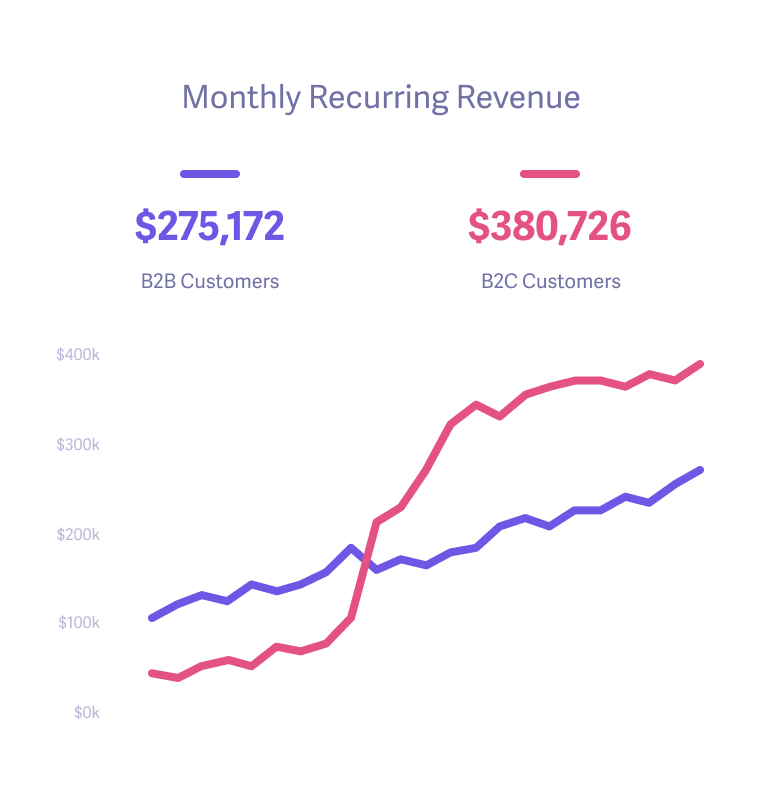
Make more by knowing what drives growth of your business.

We're sick of the seemingly endless number of stale charts and graphs, so we work to make our design and interface lively and inspiring. Every feature is as useful as it is pleasing to the eye.

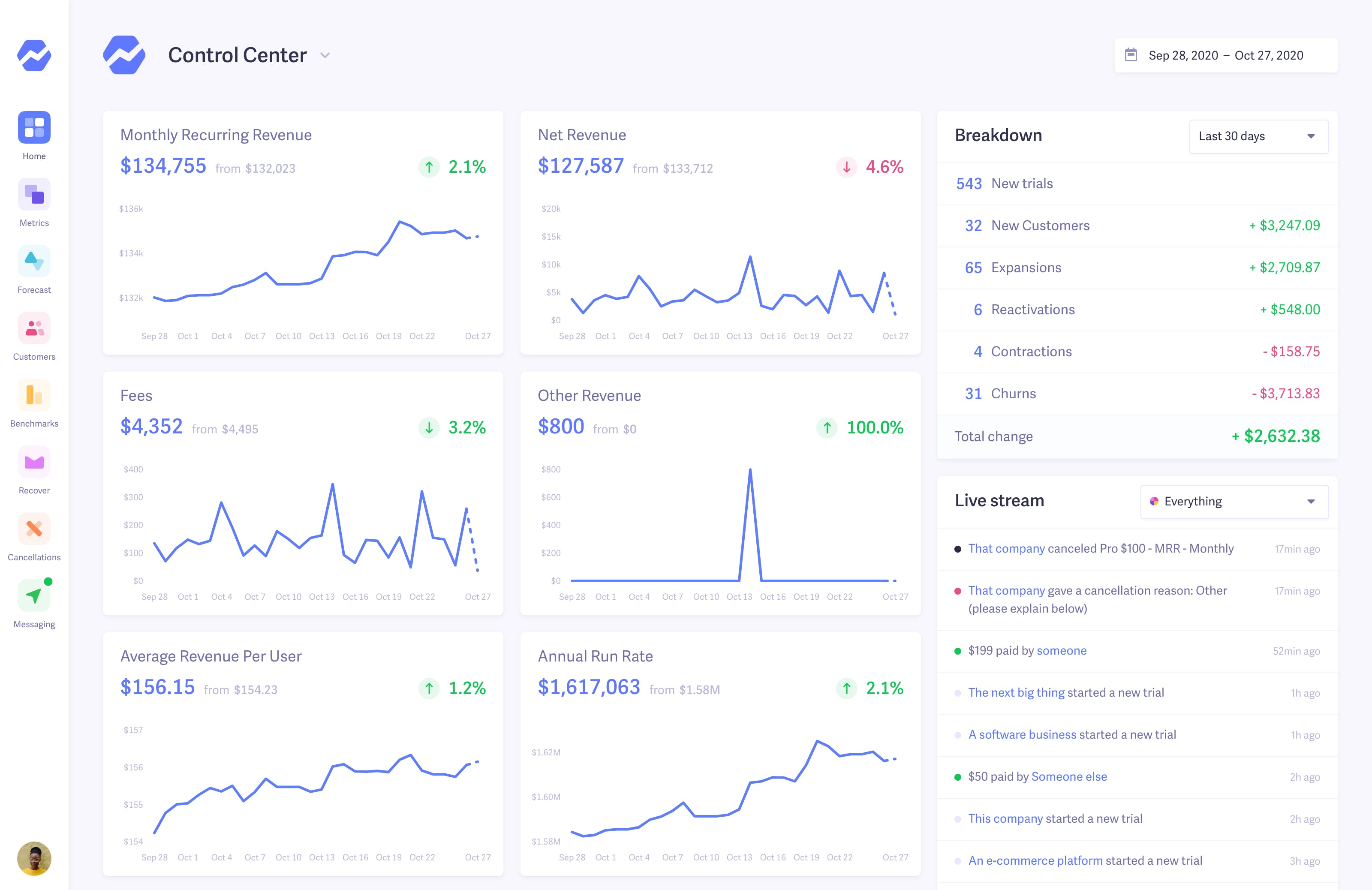
Control Center Control Center
Control Center

The lifeblood of your business — both visible at a glance and thoroughly detailed.

Smart Dashboards Dashboard
Dashboard

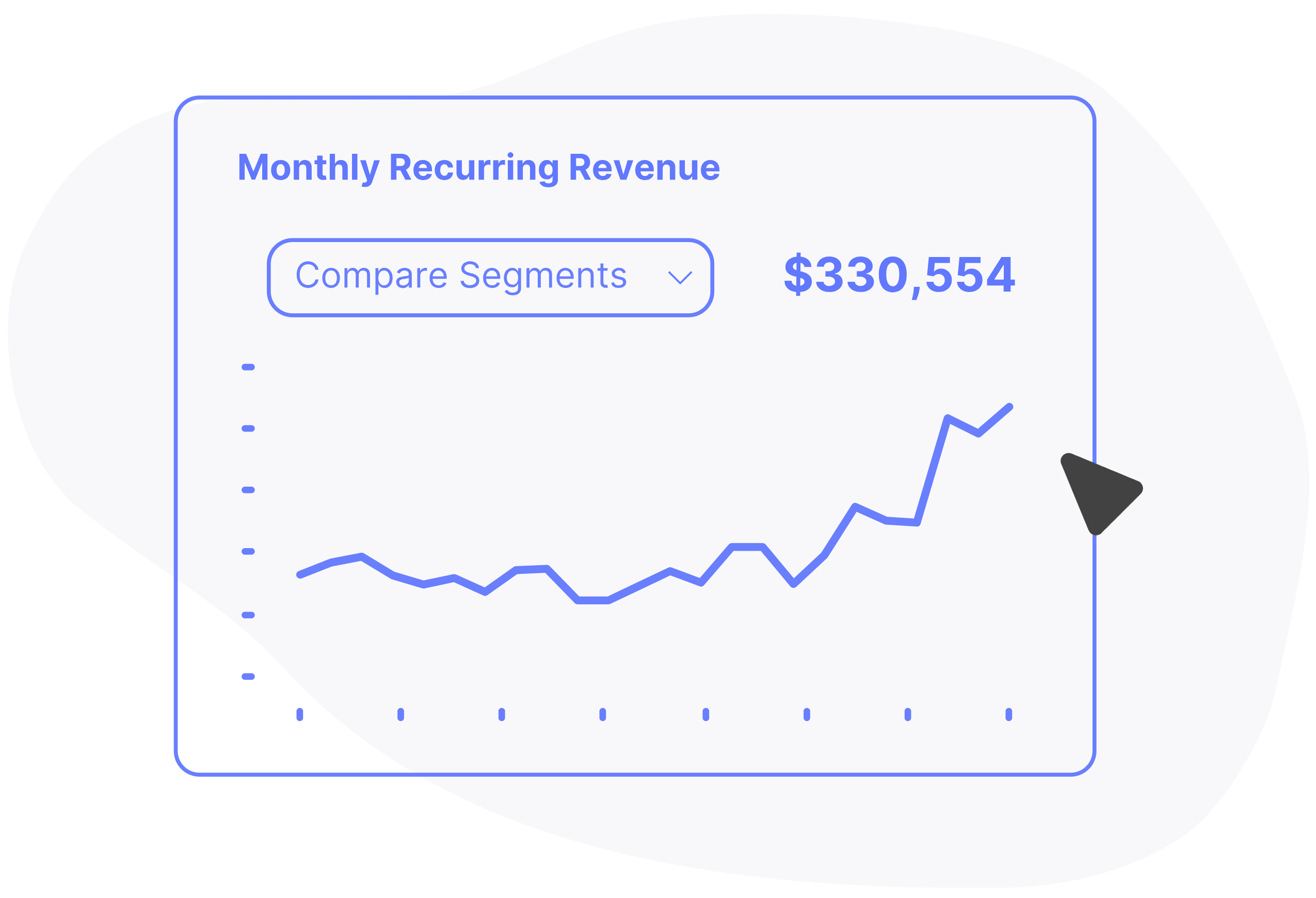
Dig deep into the details of what's driving growth and how it compares to previous months.

Fforecasting Forecast
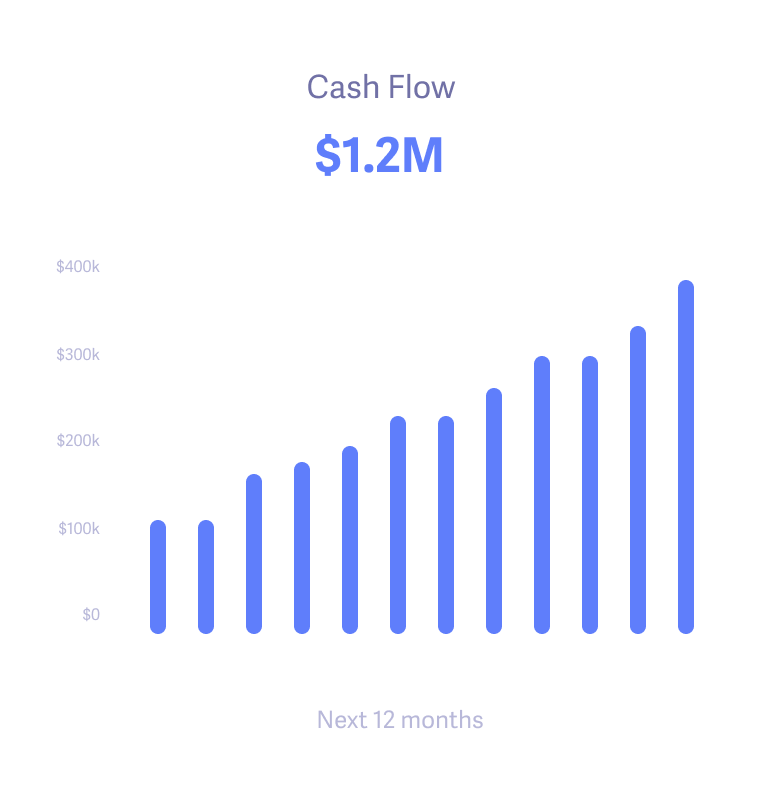
Forecast

Make well-informed projections for hiring, expansion, and departmental budgets.

+900 companies using Baremetrics for growth
Customers Todoist
Customers Product Hunt
Customers Bigcartel
Customers Working Not Working
Customers Hubstaff
Customers Convertkit
Customers Lookback
Customers Npm

Make more by knowing what drives growth of your business.

We're sick of the seemingly endless number of stale charts and graphs, so we work to make our design and interface lively and inspiring. Every feature is as useful as it is pleasing to the eye.

Benchmarks Benchmarks
Benchmarks

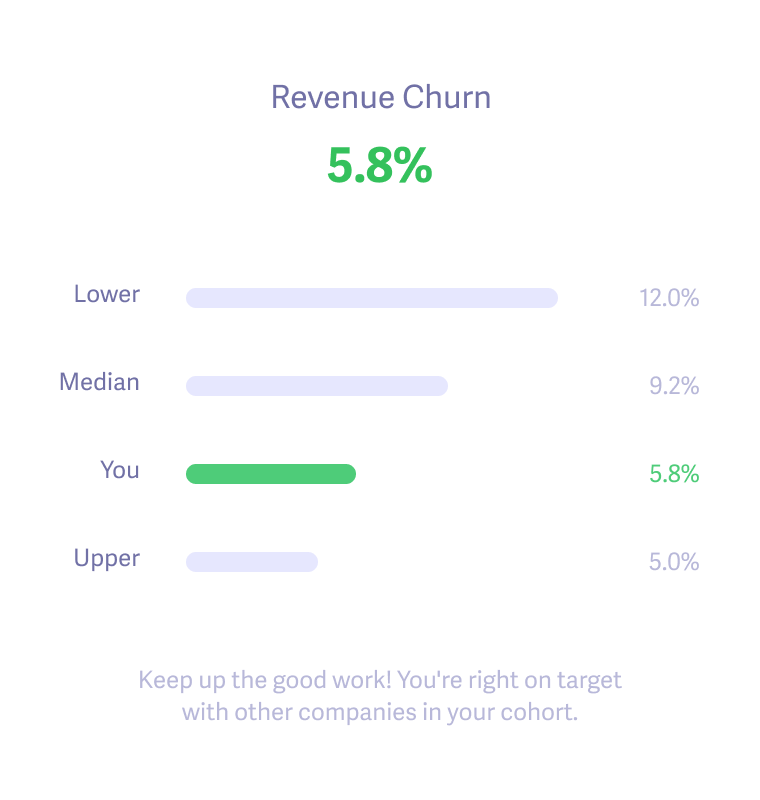
Get your metrics in the right context by looking at how you compare to other companies like you.

Smart Dashboards Goals
Goals

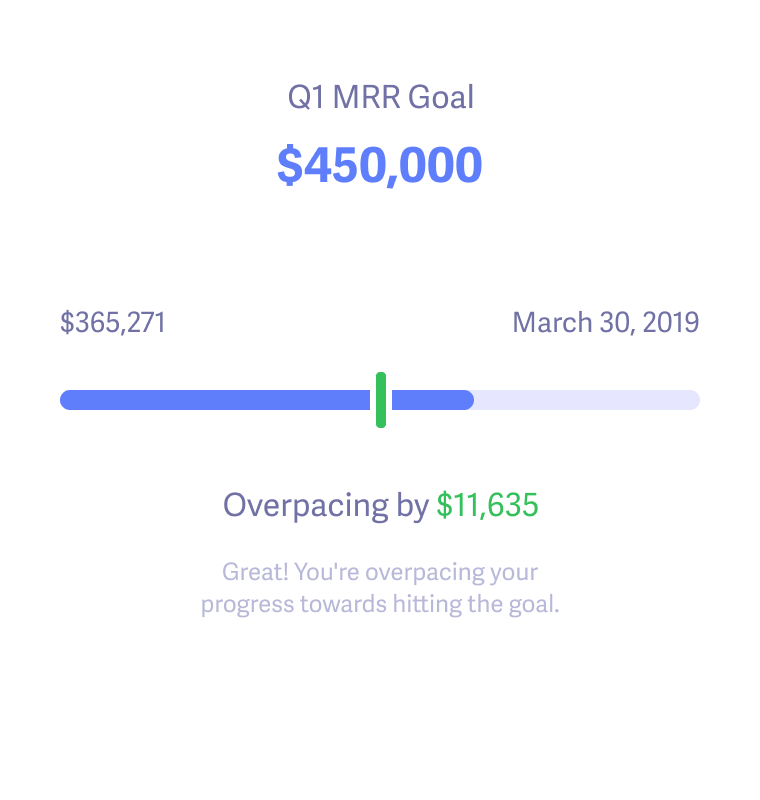
Track progress towards goals and rally the team to meet them.

Trial Insights Trial Insights
Trial Insights

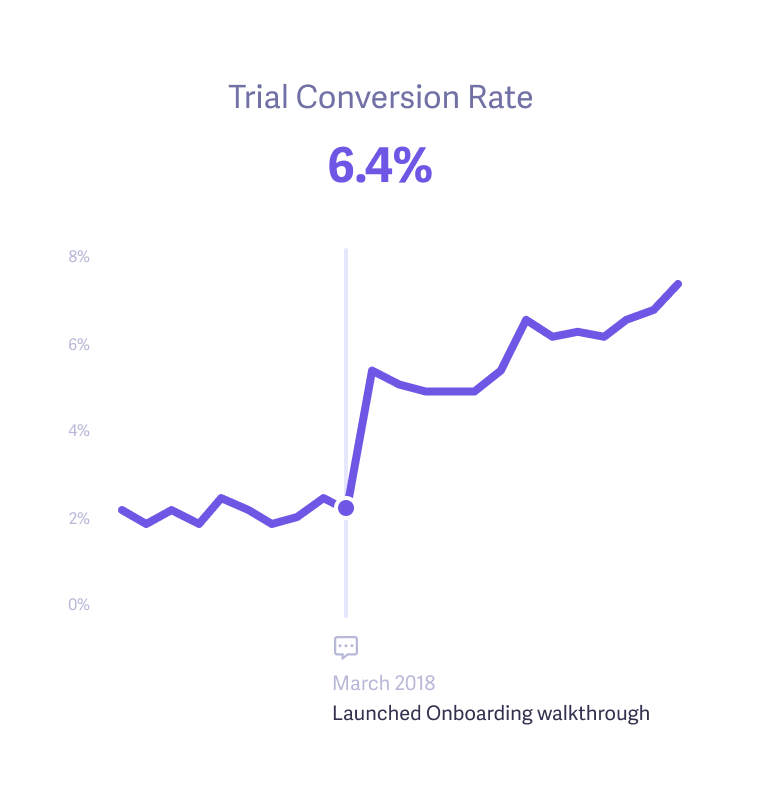
Add notes to determine how well new campaigns, experiments, and enhancements improve key metrics.

Read Baremetrics reviews on G2
Matt Later

"Thanks to Baremetrics, we're able to know what's going on with our revenue and customers, in real-time. Absolutely invaluable and miles ahead of doing it in spreadsheets or coding your own."

Matt Smith

COO and Founder at Later

Make more by making data-driven decisions with confidence.

Finally, you can get the data you need to uncover growth opportunities, get answers to your questions, and run sophisticated analyses with ease. Being data-driven and customer-obsessed just became a reality.

Augmentation Augmentation
Augmentation

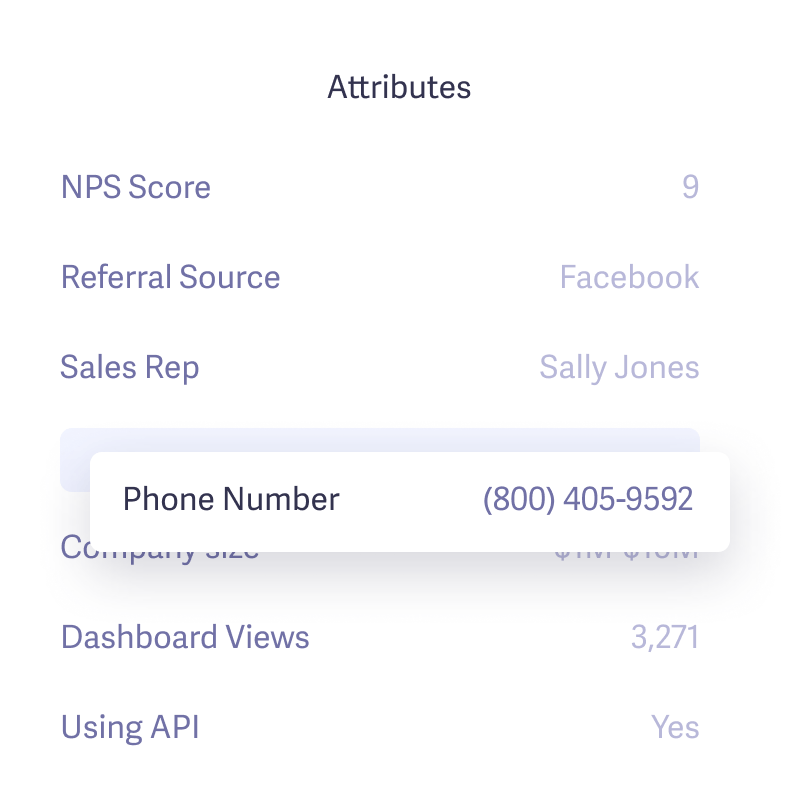
Merge external data to create rich customer profiles and precise segments.

Segmentation Segmentation
Segmentation

Discover and compare your most profitable customer segments and the attributes that make them an ideal fit.

People Insights Customers
Customers

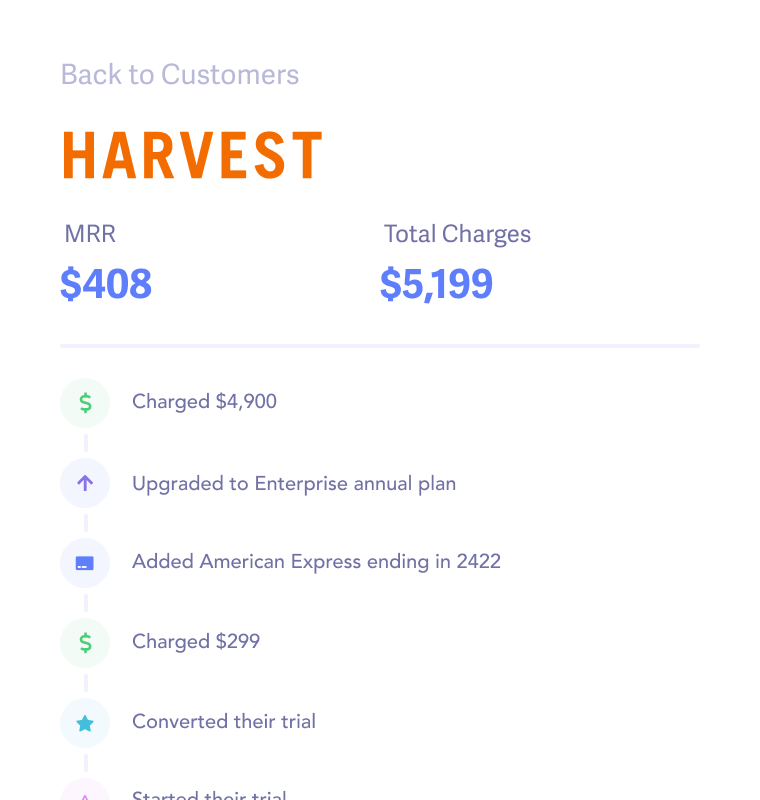
Zoom in to each and every customer with a full history of payments, events, and changes.

Cancellation Insights

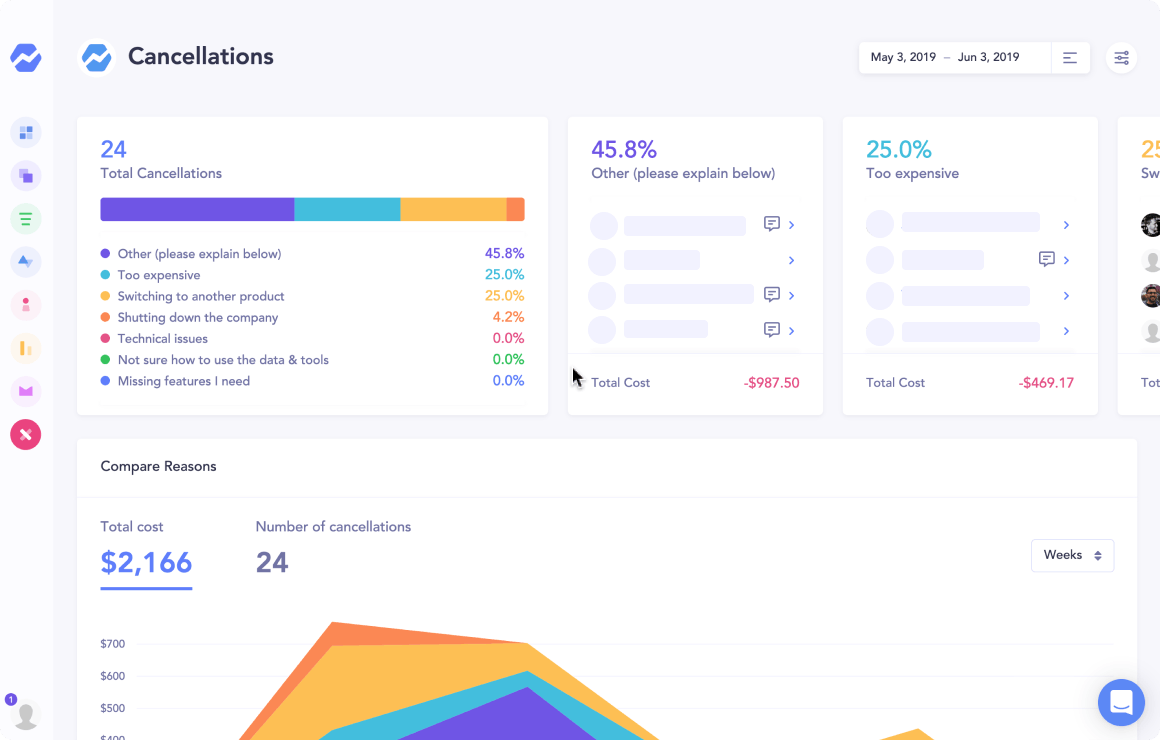
Learn why your customers cancel

Start collecting valuable feedback in minutes, learn how much revenue you're losing to each reason, then automatically send personalized emails to bring them back.

“The Cancellation Insights feature is a no-brainer. It replaced our in-house solution in less than an hour, and it provides exactly the insights we need.”

user ben zoomshift Ben Bartling, Zoomshift
Features Cancellation Insights
Recover

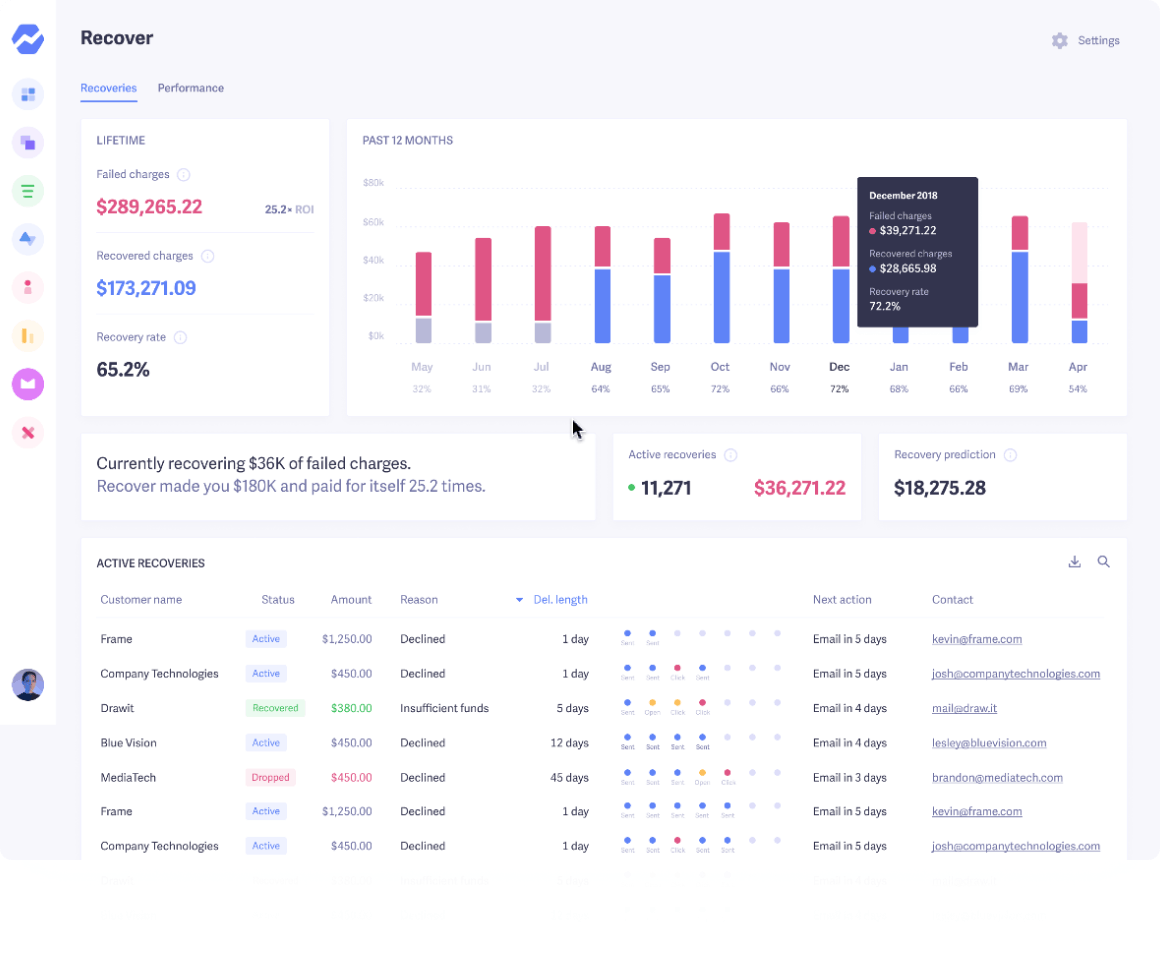
Get help with failing charges

Your business is leaking money every month to failed payments and losing customers to delinquent churn. It's time to get it back.

“Recover helped us reduce our churn and save over $10k+ in less than 3 months.”

Tushar Statusbrew Tushar Mahajan, Statusbrew
Features Recover
Open Startups

Join the movement of transparency innovators

Welcome to the land of the brave. These wonderful companies are embracing transparency and openness by sharing their metrics with everyone.

Innovators

Comparing tools?

Try Baremetrics on your own data before you decide

  • Subscription metrics from Stripe, Braintree, Chargebee, Recurly, Apple, Google and more, in one dashboard
  • Built-in failed-payment recovery and cancellation insights
  • Forecasting with Forecast+
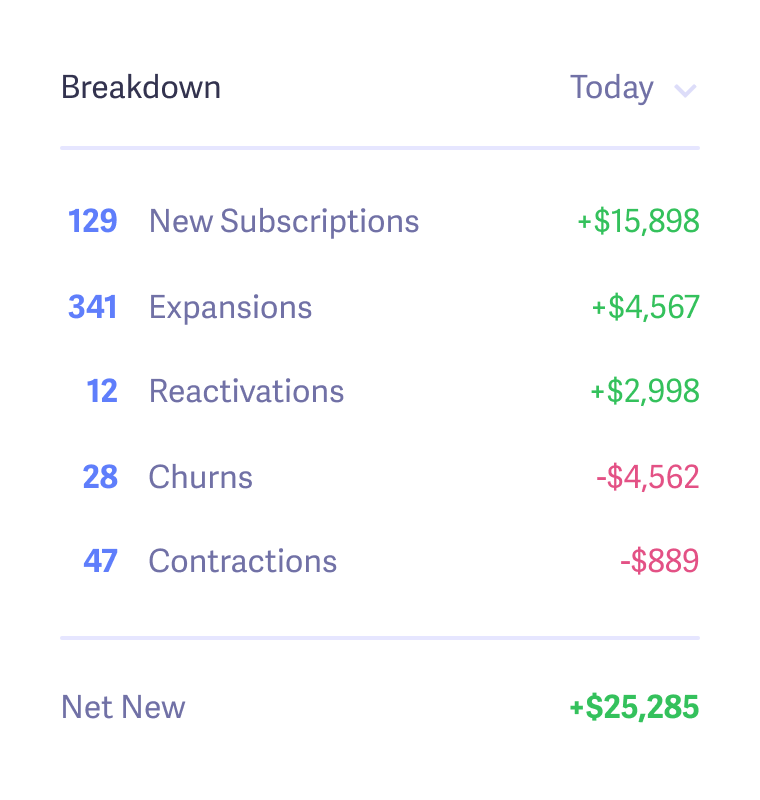
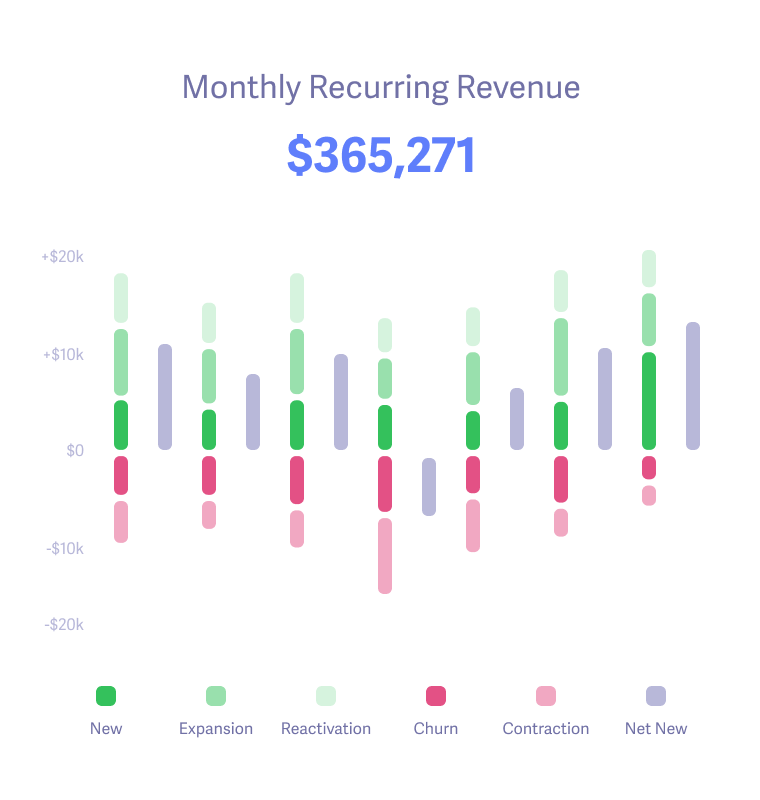
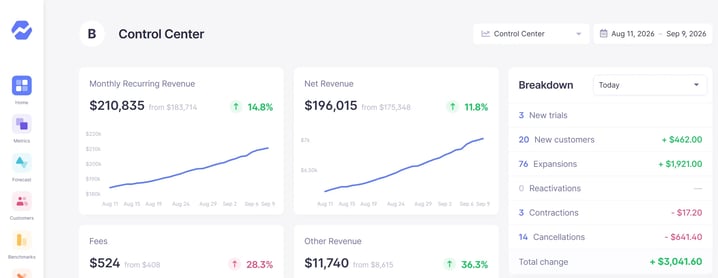
Baremetrics Control Center: MRR, net revenue and a daily breakdown of new customers, expansions and cancellations (sample data)

Start your free trial →Explore the live demo

Screenshot shows sample demo data.

Frequently Asked Questions

Connect Braintree to Baremetrics through a dedicated Baremetrics API user. Baremetrics reads your Braintree subscriptions and transactions and reports MRR, ARR, customer and revenue churn, LTV, ARPU, upgrades, downgrades and reactivations in one dashboard, across the merchant accounts you include.

As a Braintree admin, create a role named Baremetrics with the required permissions, then a new user with API access, that role and access to your merchant accounts. Log in as that user, copy the public key, private key and merchant ID into Baremetrics, and add a Braintree webhook pointing to the URL Baremetrics shows during setup.

Six: Download Transactions with Masked Payment Data, Download Vault Records with Masked Payment Data, Download Subscription Records, Manage Subscriptions, Manage Webhooks, and Manage Customers and Payment Methods.

Yes. Give the Baremetrics user access to each merchant account you want included, which for most businesses is all of them. Their data is reported together in your dashboard.

Yes. Recover sends the customer follow-up for failed Braintree payments: an email sequence (7 emails by default), SMS, in-app banners and paywalls, plus a hosted card-update form that saves the new card back to Braintree. Payment retries stay with Braintree.

Yes. After your first source is connected, use Add Connection on the Data Connections page to bring in Stripe, Recurly or other sources. Their data is combined into one set of metrics, although not every graph can be broken out by individual source.

More questions? Contact us.