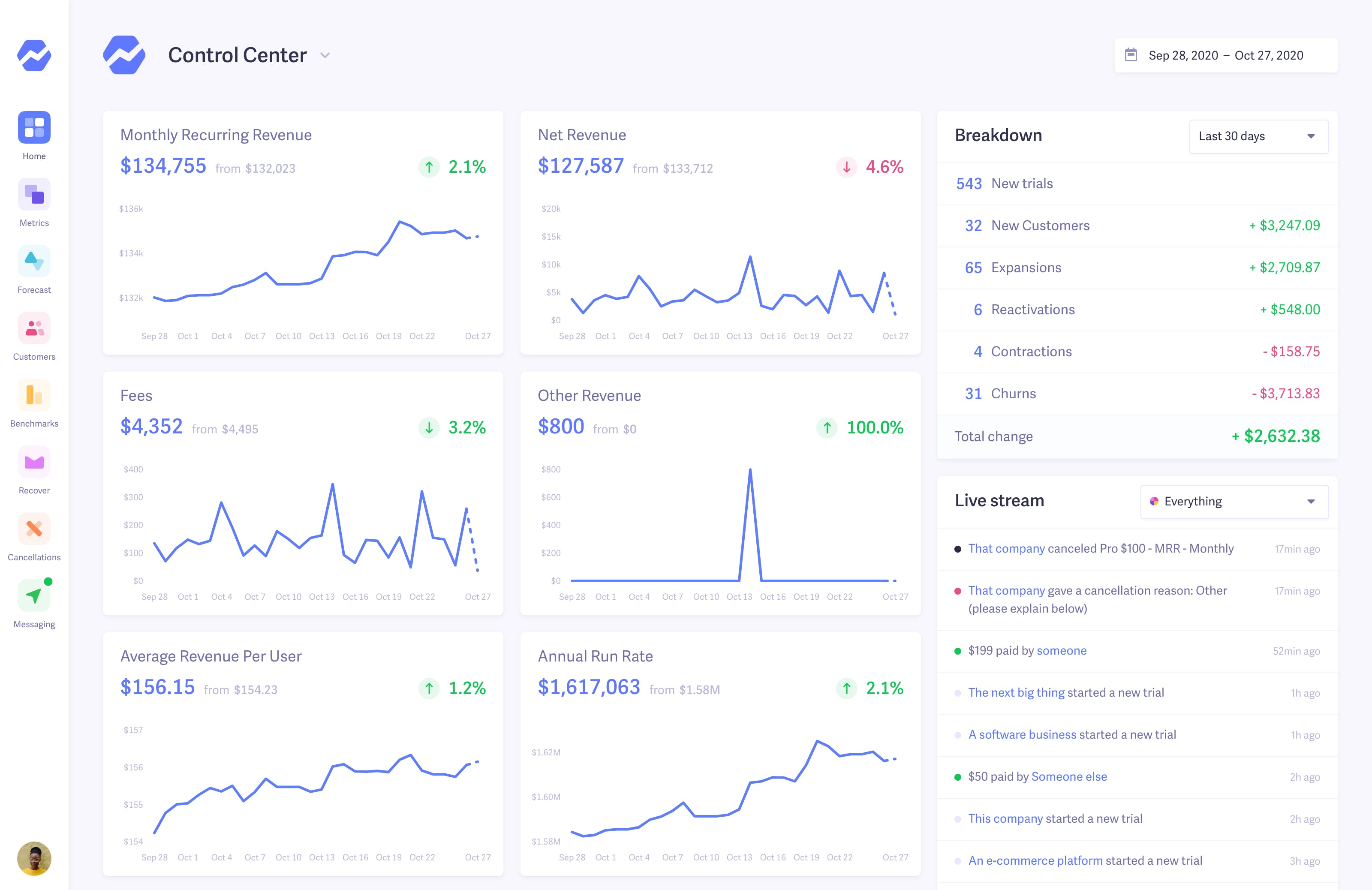
 Want to see for yourself? Check out our live preview.

How to get MRR and churn analytics for Recurly subscriptions
Connect Recurly to Baremetrics with a private API key and a webhook. Baremetrics imports your Recurly subscriptions and turns them into MRR, ARR, customer and revenue churn, LTV and dozens of other subscription metrics in one dashboard, with no spreadsheets or code.
What you get when you connect Recurly
Recurly keeps running your billing. Baremetrics sits on top of it as the analytics layer and reports on your Recurly subscriptions:
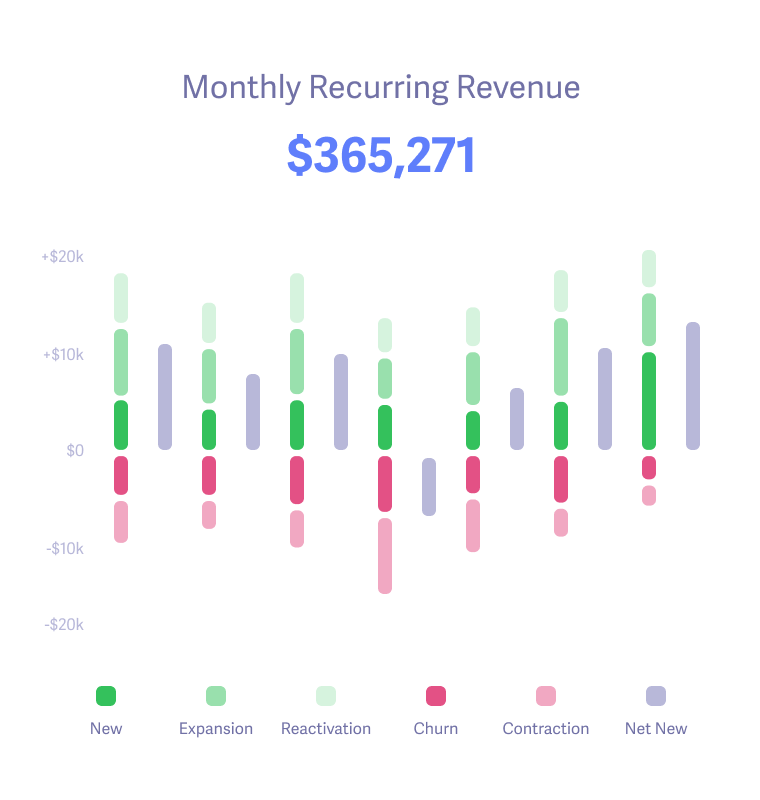
- MRR and ARR calculated from your Recurly subscriptions.
- Customer and revenue churn, with upgrades, downgrades and reactivations, so you can see what is driving MRR up or down.
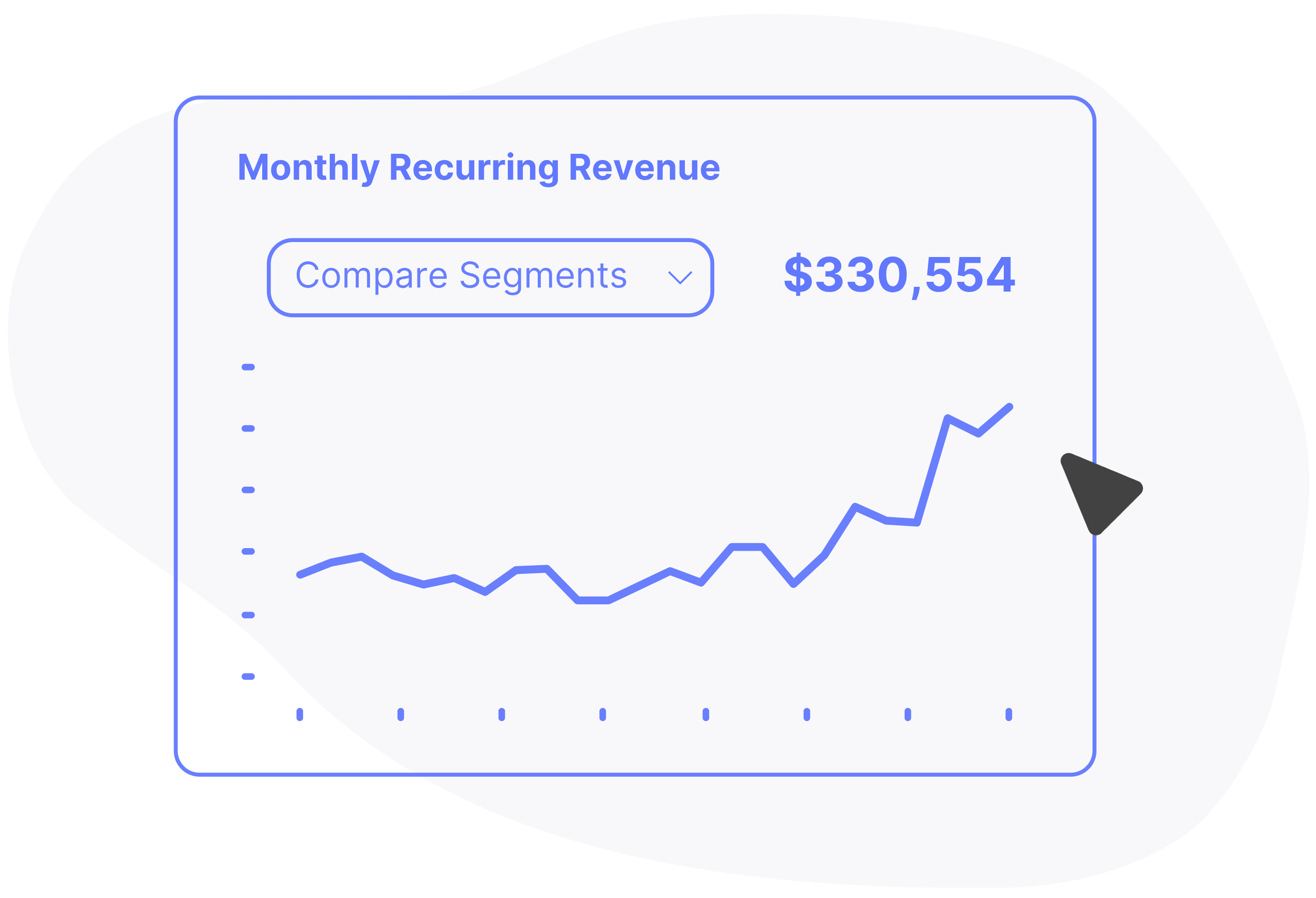
- LTV and ARPU, with segmentation to compare plans and customer groups.
- One view across billing systems: add Stripe, Braintree or other sources from the same Data Connections page.
- Failed-payment follow-up with Recover. Recover sends the customer follow-up for failed Recurly payments: an email sequence (7 emails by default), SMS, in-app banners and paywalls, plus a hosted card-update form that saves the new card back to Recurly. Payment retries stay with Recurly. Recover needs an API key with write access.
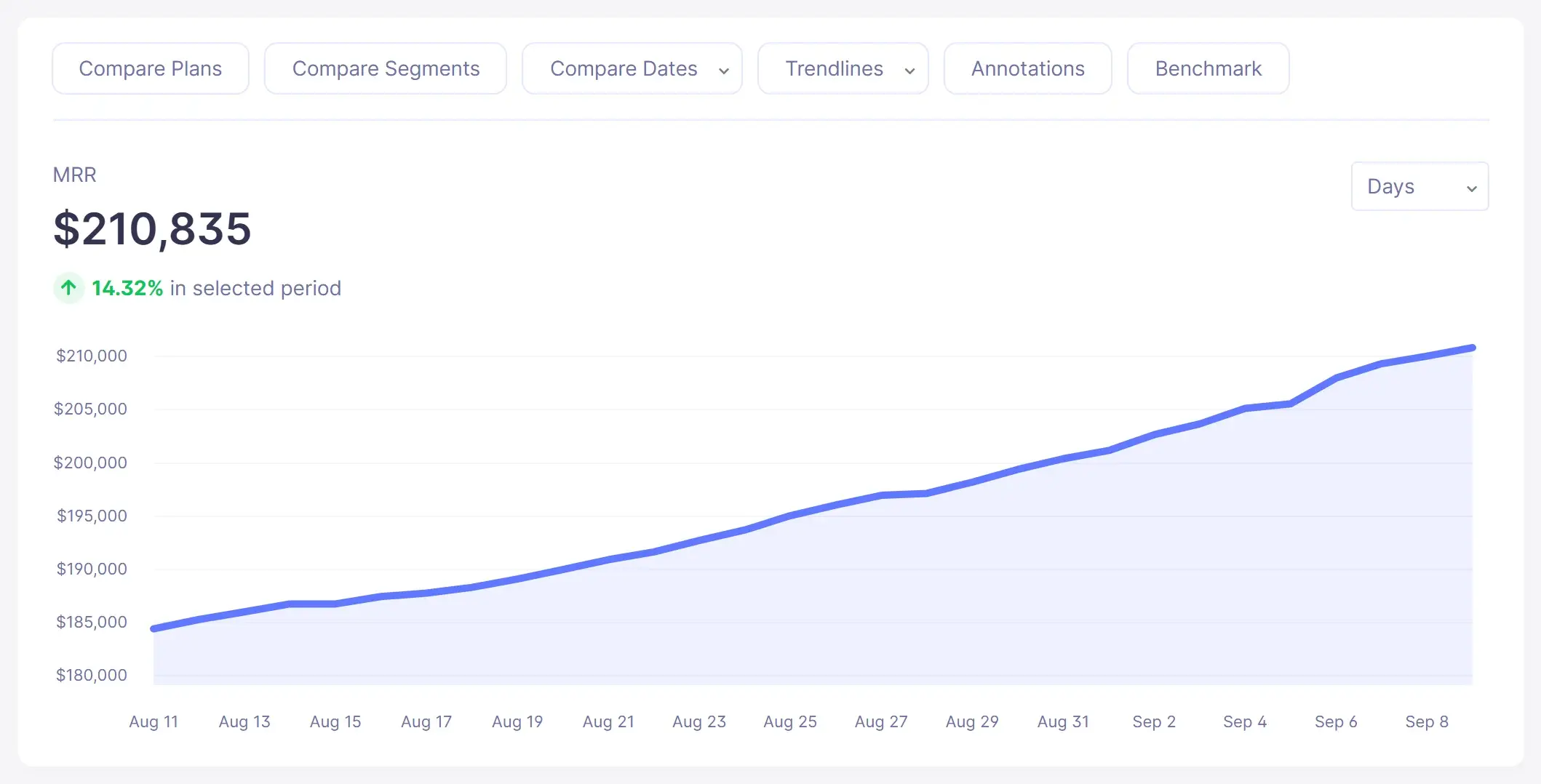
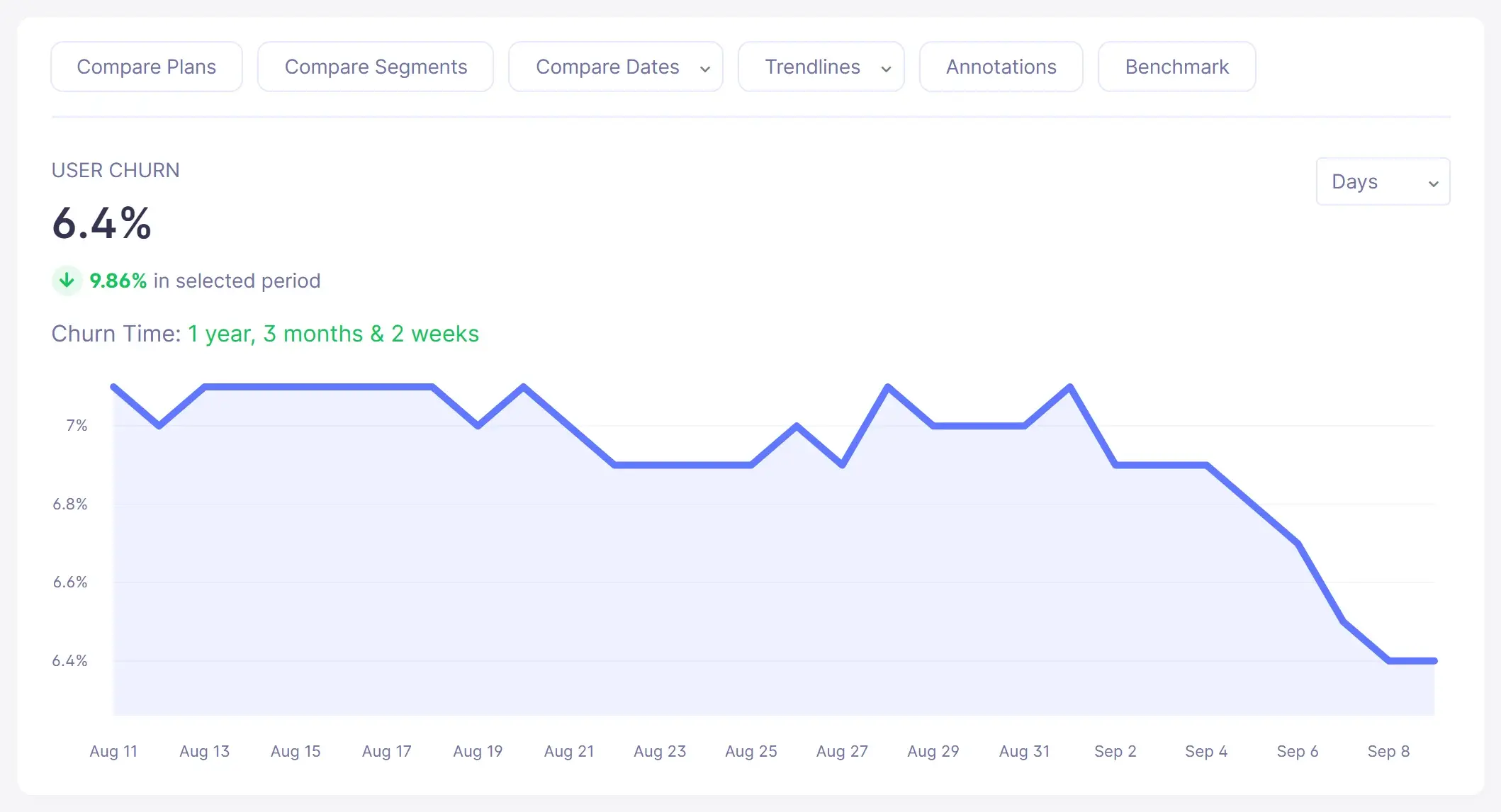
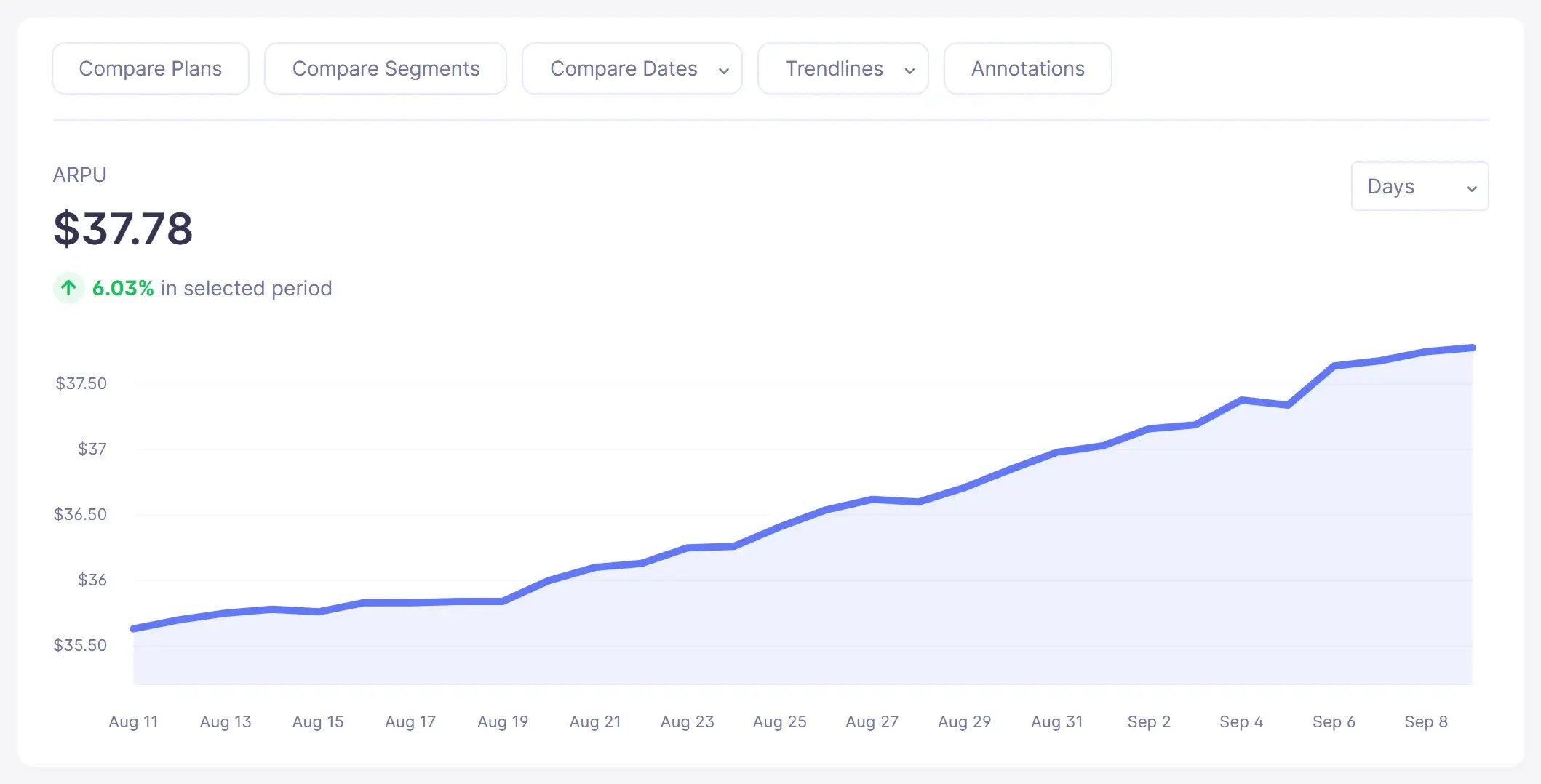
Screenshots show sample demo data.
Source: Baremetrics Help Center, Recurly; Connecting your payment processors and data sources; Recover setup guide.
Make more by knowing what drives growth of your business.
We're sick of the seemingly endless number of stale charts and graphs, so we work to make our design and interface lively and inspiring. Every feature is as useful as it is pleasing to the eye.
 Control Center
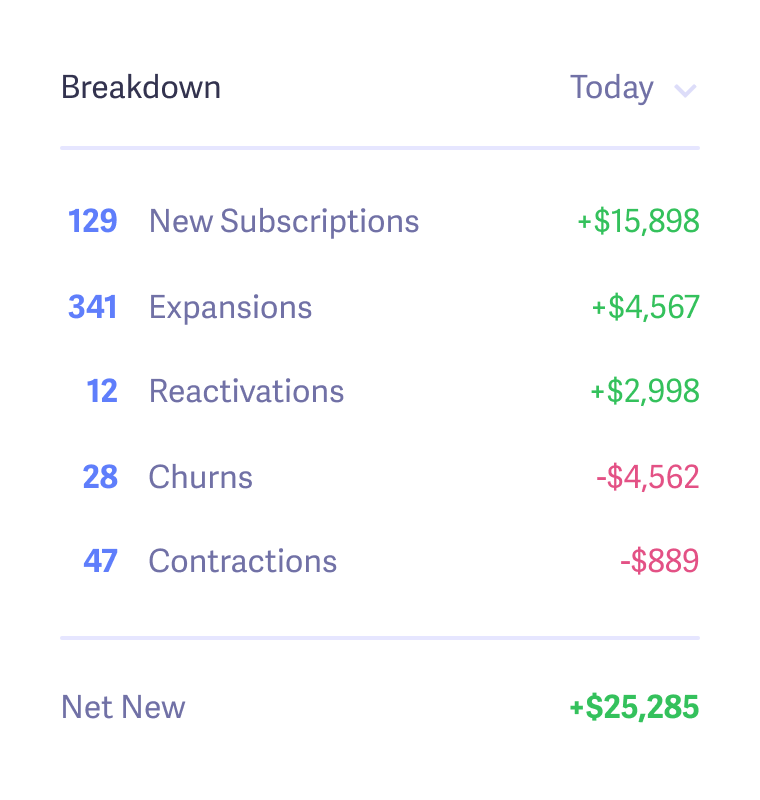
 Dashboard
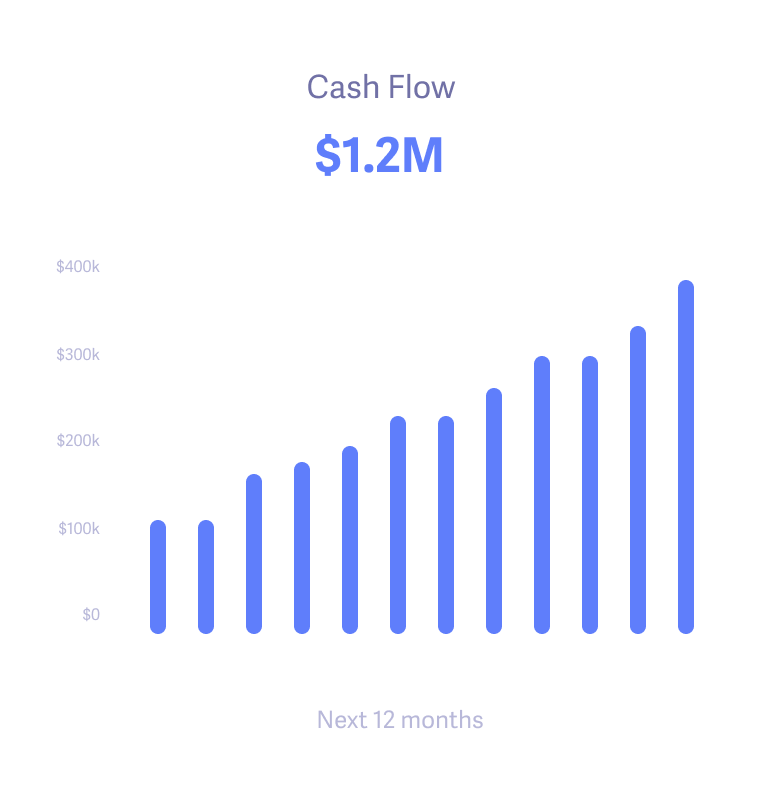
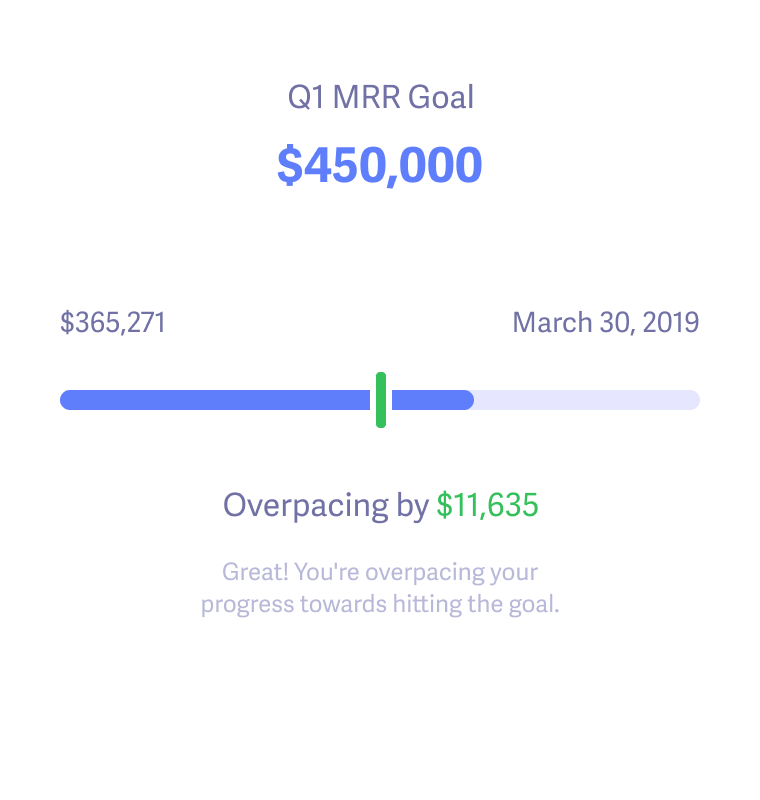
 Forecast








Make more by knowing what drives growth of your business.
We're sick of the seemingly endless number of stale charts and graphs, so we work to make our design and interface lively and inspiring. Every feature is as useful as it is pleasing to the eye.
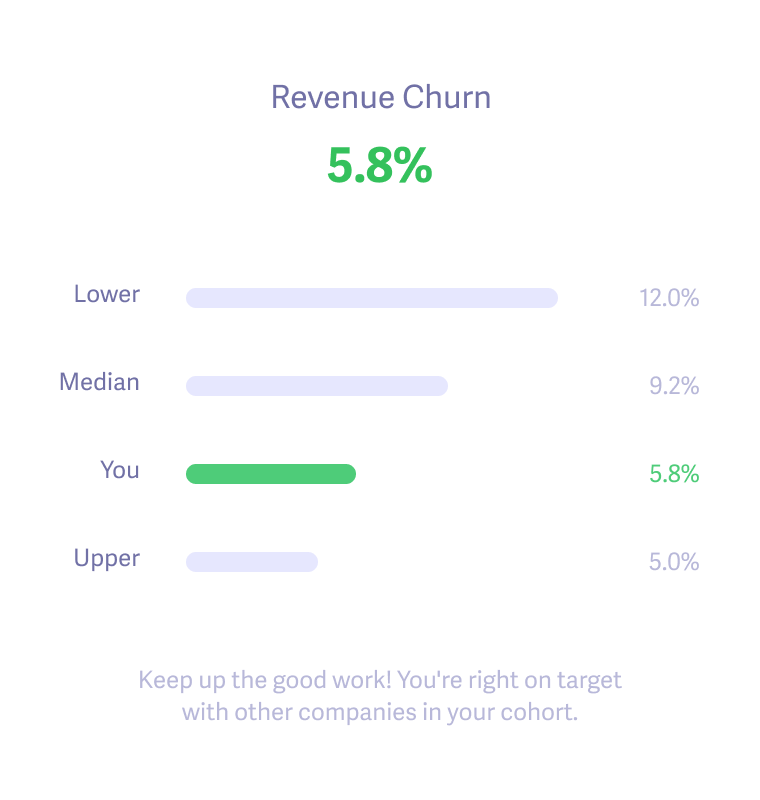
 Benchmarks
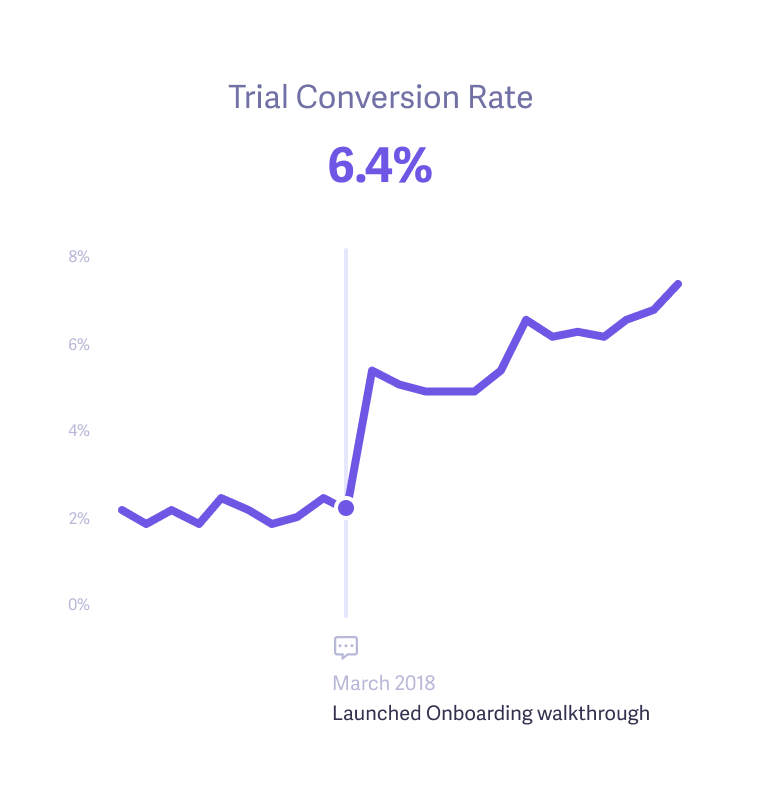
 Trial Insights


"Thanks to Baremetrics, we're able to know what's going on with our revenue and customers, in real-time. Absolutely invaluable and miles ahead of doing it in spreadsheets or coding your own."
Matt Smith
COO and Founder at LaterMake more by making data-driven decisions with confidence.
Finally, you can get the data you need to uncover growth opportunities, get answers to your questions, and run sophisticated analyses with ease. Being data-driven and customer-obsessed just became a reality.
 Augmentation
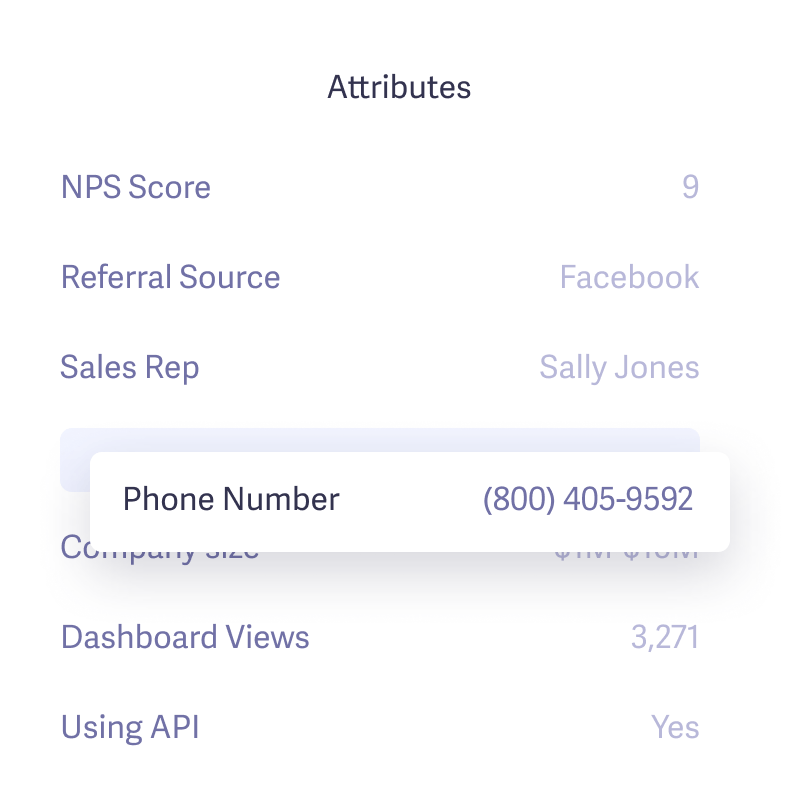
 Segmentation
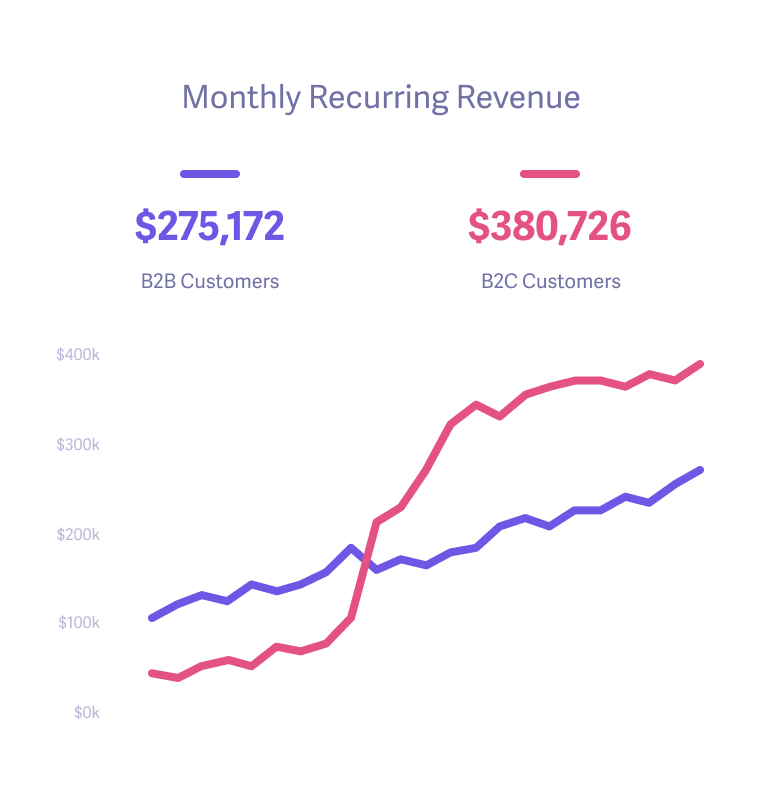
 Customers
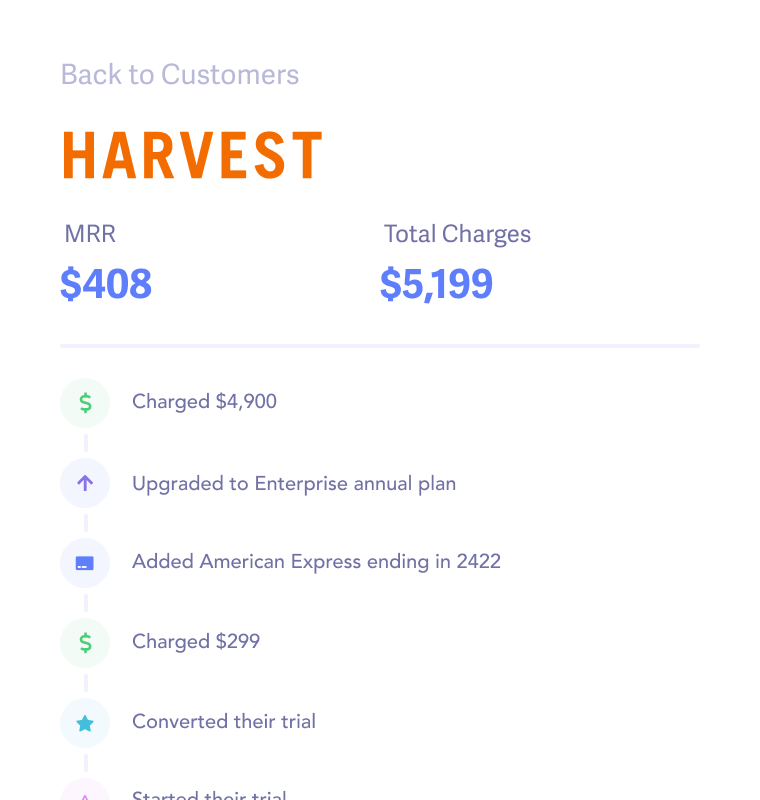
Learn why your customers cancel
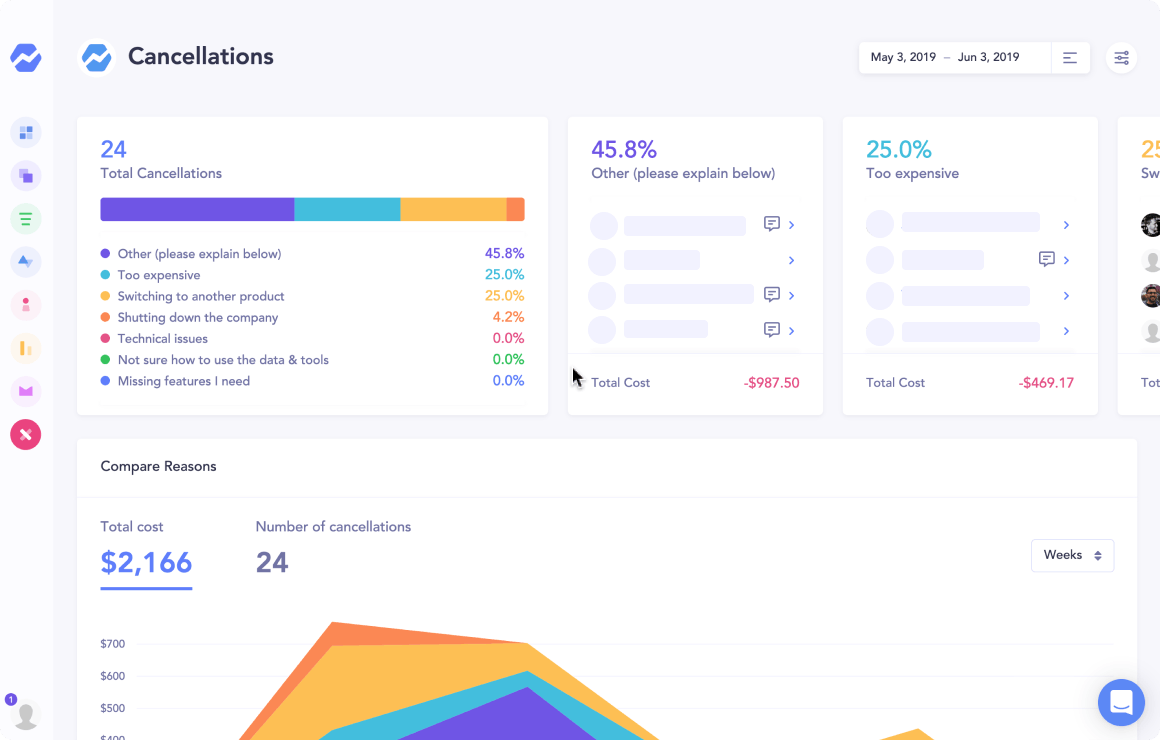
Start collecting valuable feedback in minutes, learn how much revenue you're losing to each reason, then automatically send personalized emails to bring them back.
“The Cancellation Insights feature is a no-brainer. It replaced our in-house solution in less than an hour, and it provides exactly the insights we need.”
 Ben Bartling, Zoomshift
Get help with failing charges
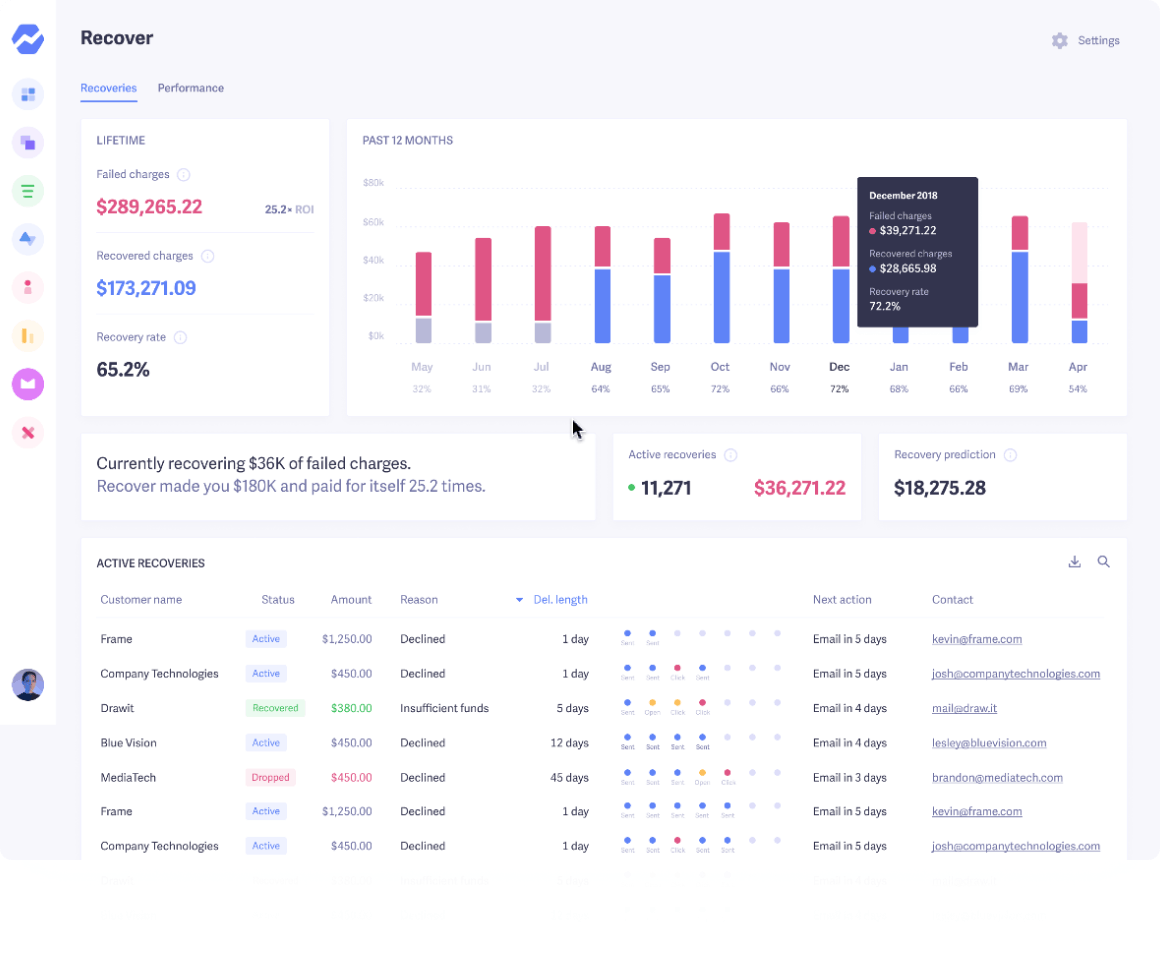
Your business is leaking money every month to failed payments and losing customers to delinquent churn. It's time to get it back.
“Recover helped us reduce our churn and save over $10k+ in less than 3 months.”
 Tushar Mahajan, Statusbrew
Join the movement of transparency innovators
Welcome to the land of the brave. These wonderful companies are embracing transparency and openness by sharing their metrics with everyone.
Comparing tools?
Try Baremetrics on your own data before you decide
- Subscription metrics from Stripe, Braintree, Chargebee, Recurly, Apple, Google and more, in one dashboard
- Built-in failed-payment recovery and cancellation insights
- Forecasting with Forecast+
Start your free trial →Explore the live demo
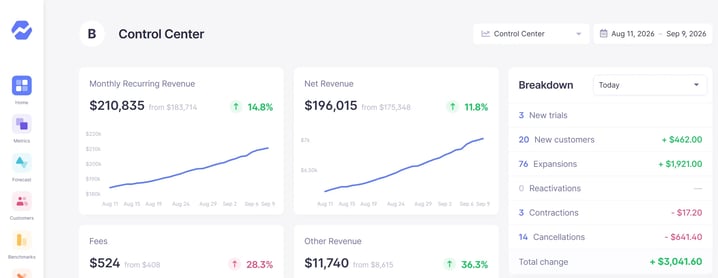
Screenshot shows sample demo data.
Get Baremetrics for your company
Metrics, dunning, and engagement tools for SaaS & subscription businesses.