


Baremetrics + QuickBooks Online
Overview
QuickBooks Online keeps your books and, if you invoice subscriptions there, your recurring revenue too. Baremetrics connects to it for both: your recurring invoices become subscription metrics like MRR, churn and LTV, and Forecast+ puts your actual P&L, balance sheet and cash flow next to that revenue. Add Stripe, Chargebee or the App Store, and you see every revenue source and your books from one set of numbers.
What Baremetrics does with your QuickBooks data
- Turns recurring invoices into subscription metrics. Recurring invoices and payments in QuickBooks Online become subscriptions in Baremetrics, so you can track MRR, ARR, churn and LTV.
- Unifies your revenue. If you also bill through Stripe, Chargebee, Recurly or the app stores, add them from the same Data Connections page for one set of metrics.
- Brings in your actual financials. When you close the month and confirm the sync, Forecast+ imports your chart of accounts and financial statements from QuickBooks Online.
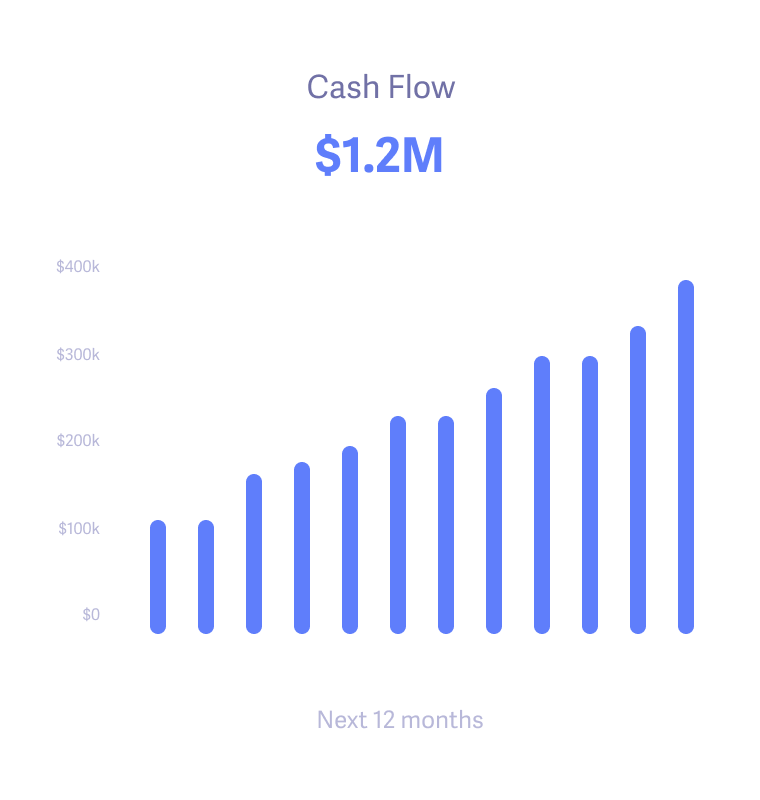
- Forecasts your P&L, balance sheet and cash flow. Set drivers for each account, such as averages, average growth or a percentage of revenue. With autopilot on, forecasts roll forward as new actuals arrive, and you can add manual adjustments for known changes.
- Compares scenarios. Build scenarios, plus a fixed yearly Budget, and check them against your actuals.
- Plans spending against revenue. Pair it with the Revenue Model, which projects MRR from your Baremetrics metrics across Base, Upside and Downside cases.
- Leaves your books untouched. Forecast+ syncs one way, from QuickBooks, and never changes your accounting data. You can revoke access anytime in QuickBooks.
Source: Accessing Forecast+ and integrating with your accounting service provider; Operating Model: the engine of Forecast+; Revenue Model.
How does the QuickBooks Online connection work?
- Open Settings, then Integrations, then Connect QuickBooks.
- Sign in to QuickBooks Online and grant access. If you have more than one company, choose the one to connect.
- Confirm the company name.
- Let Baremetrics import and analyze your data. How long this takes depends on how much data you have. Your dashboard fills in when it's done, and you can add more Forecast+ connections under Forecast+, Settings, Connections.
- Use Forecast+ with a paid Baremetrics subscription. After you close each month, confirm the sync to bring in the latest actuals.
Source: Connect QuickBooks; Accessing Forecast+ and integrating with your accounting service provider.
What are the limits of the QuickBooks Online integration?
- QuickBooks Online only. QuickBooks Desktop isn't supported.
- Forecast+ needs a paid Baremetrics subscription.
- Forecasting actuals aren't real time. They update after you close your books and confirm the sync in Forecast+.
- New accounts need mapping. When you add an account in QuickBooks, it has to be mapped in the Forecast+ chart of accounts. Sanity checks flag any unlinked accounts.
- Combined sources blend together. When you add other billing sources, not every graph can be broken out by individual source.
Source: Forecast+: Getting Started; Sanity Check Fails: All Accounts Linked; Connecting your payment processors and data sources.
For the full walkthrough, see the Connect QuickBooks article in the Help Center.
Questions
How do I connect QuickBooks Online to Baremetrics?
Open Settings, then Integrations, and choose Connect QuickBooks. Sign in to QuickBooks Online, grant access, pick the company if you have more than one, and confirm. Baremetrics then imports and analyzes your data.
Can Baremetrics track MRR from QuickBooks recurring invoices?
Yes. Recurring invoices and payments in QuickBooks Online become subscriptions in Baremetrics, so you can track MRR, ARR, churn and LTV, and combine them with Stripe or other billing data.
What QuickBooks data does Forecast+ import?
Forecast+ syncs your chart of accounts and imports your financial statements. Those actuals feed the operating model, which covers your P&L, balance sheet and cash flow statement.
Does Baremetrics change anything in my QuickBooks account?
No. Forecast+ syncs one way, from QuickBooks, and never changes your accounting data. You can revoke access anytime from QuickBooks.
Can I forecast cash flow with QuickBooks and Baremetrics?
Yes. Forecast+ uses your QuickBooks actuals and the drivers you set for each account to forecast your P&L and balance sheet. The cash flow statement follows from those, so it doesn't need forecasting on its own.
What happens when I add a new account in QuickBooks?
Forecast+ sanity checks flag it as unlinked. Open the unlinked account and either map it to an existing account in the Forecast+ chart of accounts or create a new one, and the checks pass again.
Does Baremetrics work with QuickBooks Desktop?
No. Baremetrics connects to QuickBooks Online only.
Connect your first data source for free
Baremetrics is free until you reach $180K ARR. Start with your main billing tool and add the rest whenever you're ready.
