Product

RECOMMENDED

FREE TRIAL

Integrations

UNIFIED CONNECTIONS

View all your subscriptions together to provide a holistic view of your companies health.

Resources

Integrate Shopify

How to track MRR and churn for your Shopify app

Connect your Shopify Partner account to Baremetrics with a Partner API access token and your organization ID. Baremetrics imports your app's billing history and turns it into MRR, churn, LTV and net revenue. It connects to Partner accounts that sell apps, not to individual Shopify stores.

Shopify
Fast-growing Shopify apps use Baremetrics to understand and boost performance
Dropified
Smile.io
Zapiet
Unionworks

What you get when you connect Shopify Partners

Shopify doesn't report app revenue the way a subscription billing system does, so Baremetrics translates Partner API events into subscription metrics for your app:

  • MRR and ARR from app subscription payments, with plan names built from your app name, interval and price.
  • Merchant churn and reactivations, from uninstall and reactivation events and missed payments.
  • LTV and ARPU for every merchant on your app.
  • Net revenue, other revenue and fees. Usage charges and one-time sales are tracked outside MRR, refunds come in from Shopify adjustments, and Shopify's fees appear on their own Fees metric.
  • Segments by store and churn reason. Each merchant carries its myshopify domain, and the reason a merchant gives when uninstalling is stored as a customer attribute.
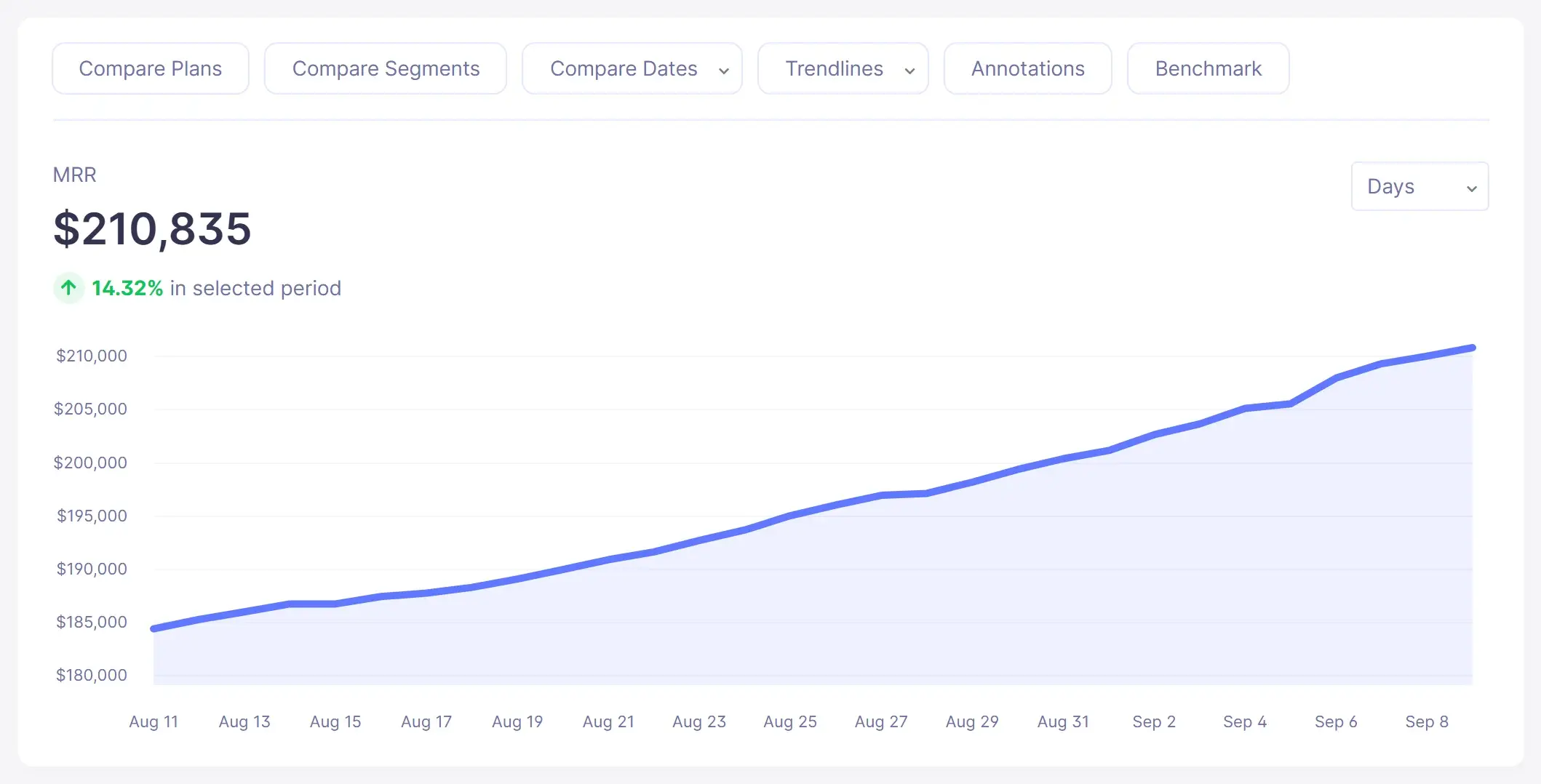
MRR line chart showing 30 days of monthly recurring revenue growth in Baremetrics (sample data)
MRR in the live demo
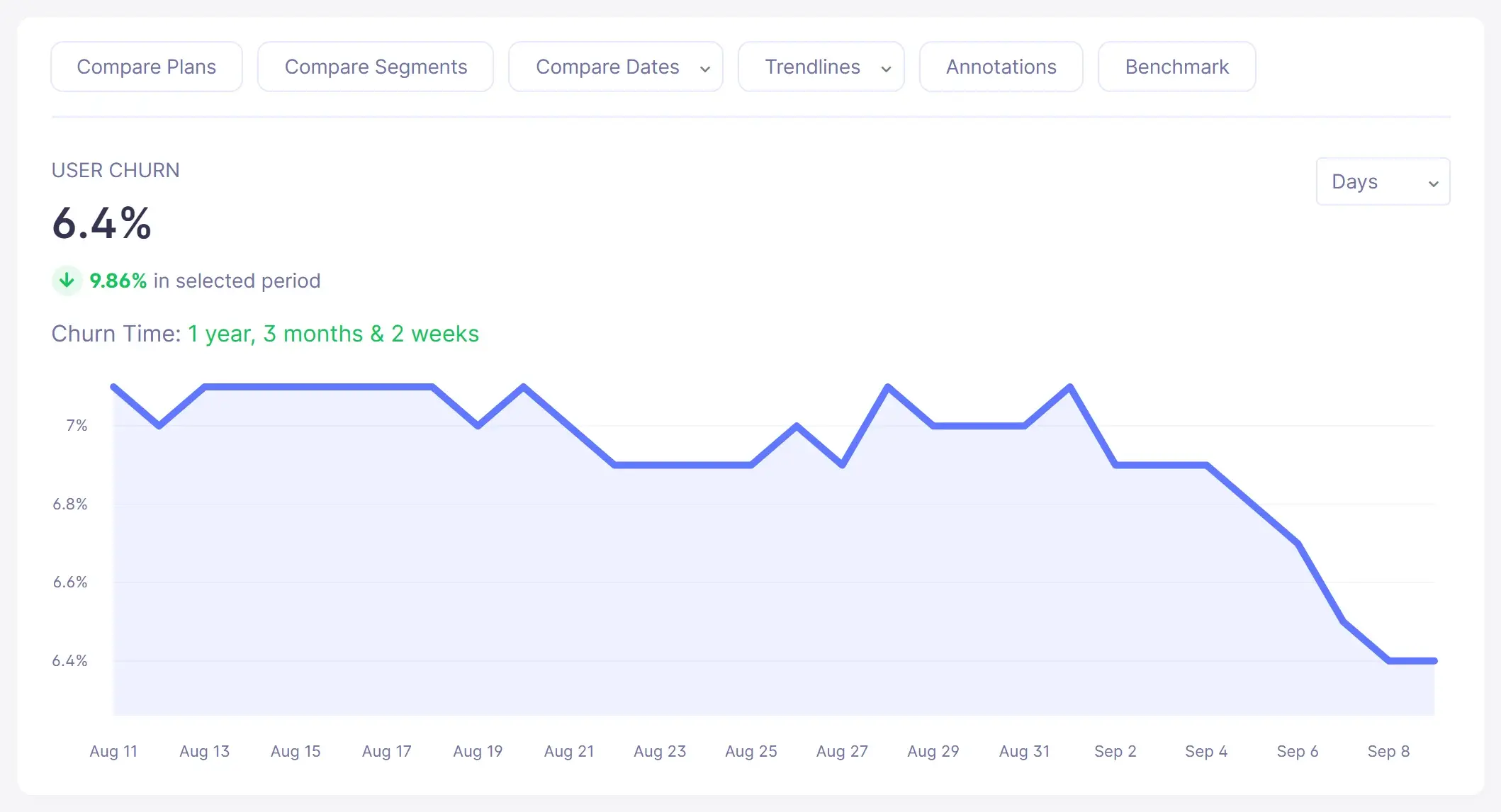
Customer (user) churn rate trend chart in Baremetrics (sample data)
Customer churn in the live demo
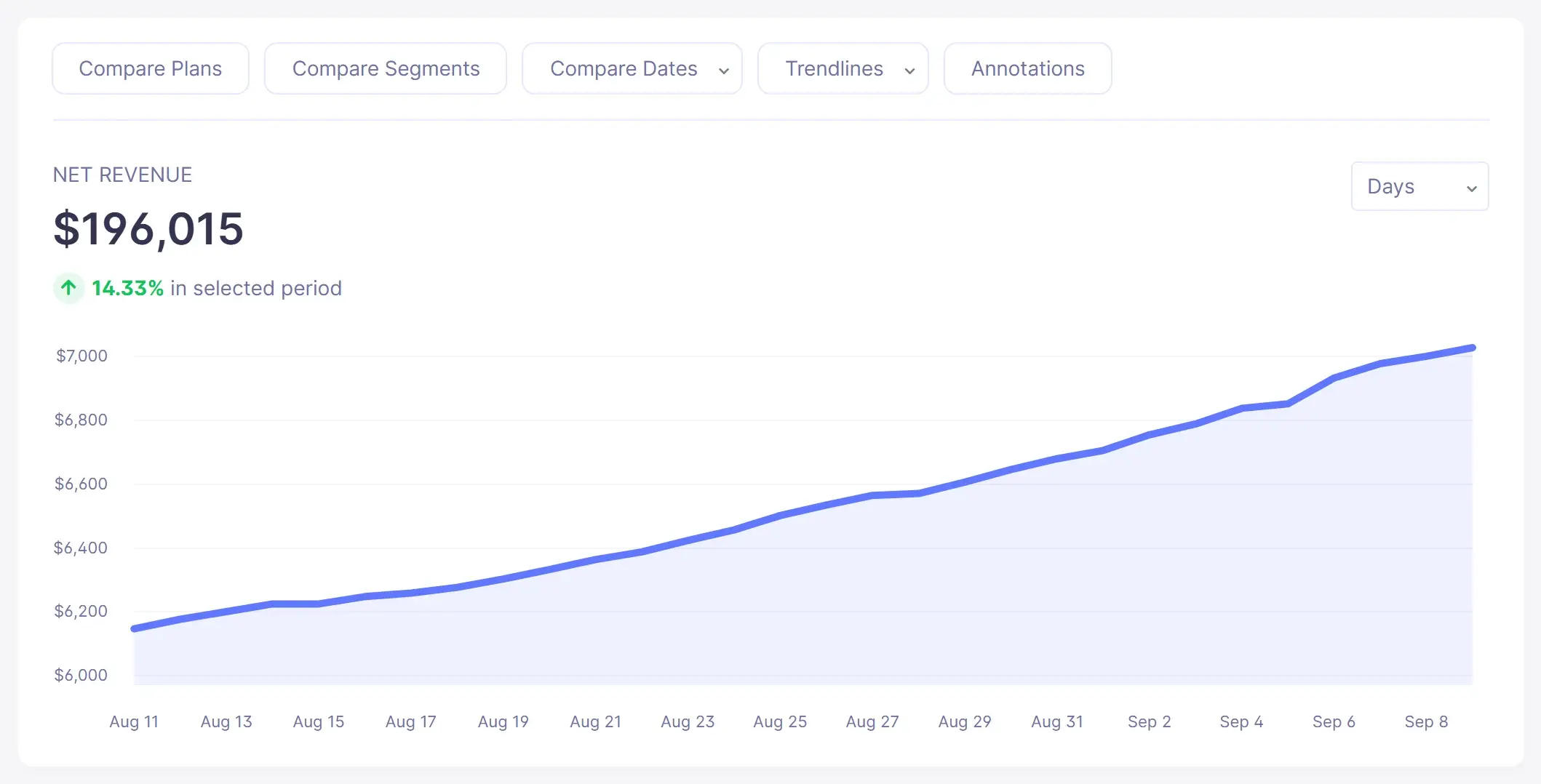
Net revenue trend chart in Baremetrics (sample data)
Net revenue in the live demo

Screenshots show sample demo data.

Source: Baremetrics Help Center, Shopify Partners / Apps; What's new in the Baremetrics Shopify connector.

How does the Shopify Partners connection work?

  1. Create an access token and find your organization ID in your Shopify Partner Dashboard, following Shopify's Partner API documentation.
  2. Tick the required permissions. View Financials reads subscription sales, one-time charges, fees and tax. Manage Apps gives the app name used to build plan names. Manage Themes and Manage Jobs let Baremetrics read one-time charge details.
  3. In Baremetrics, open Settings, then Data Connections, select Shopify Partners and enter the token and organization ID.
  4. Let the history import. It starts immediately; most accounts finish in 5–15 minutes. Some metrics briefly show 0 while the calculations run.
  5. Choose how your data is counted right after connecting: revenue timing (payment settled or billing date), churn timing (end of paid period or day they leave), a payment grace period of 0 to 60 days, and whether a full refund counts as churn. Choosing at connect time is free; changing a setting later rebuilds that connection's history.

Source: Baremetrics Help Center, Shopify Partners / Apps; What's new in the Baremetrics Shopify connector.

What are the limits of the Shopify Partners integration?

  • It's for app developers, not stores. The integration connects to a Shopify Partner account, not to individual Shopify stores, so it doesn't report on a merchant's own store sales.
  • No customer email addresses. Shopify's Partner API doesn't expose them. You can add them through the Baremetrics API to use with messaging, Intercom, HubSpot and exports.
  • Coupons aren't reflected in MRR, because the Partner API doesn't expose coupon discount data.
  • Revenue can appear later than in other integrations. By default a charge counts when Shopify's payment settles, on Shopify's payout cycle. Switch revenue timing to the billing date if you want MRR to move when Shopify bills.
  • Failed payments aren't reported by Shopify, so a retrying card looks like a departure. The grace period setting decides how long Baremetrics waits before counting churn.
  • Usage charges aren't part of MRR. They're tracked as their own revenue, together with one-time sales.
  • Shopify's fees aren't removed from MRR or net revenue; they show on the Fees metric. Older records that Shopify marks as redacted are excluded.

Source: Shopify Partners / Apps help article; What's new in the Baremetrics Shopify connector.

Connect Your Data

All your Shopify data in one place

Create custom dashboards with a variety of data sources, including Shopify to see what's really driving your business. Make impactful decisions with the right data working for you.

Shopify

Increase Revenue

Increase customer retention and revenue

Baremetrics cuts through the noise and shows you the health of your business. What plans have the longest life with your customers? When do you start to see drop-offs in your subscriptions? We can answer that.

shopify-img2

Get Baremetrics for your Shopify app

Metrics and engagement tools for SaaS & subscription businesses.

Migrating from Mantle? See why Shopify Partners choose Baremetrics →

Control Center Thumb

More Features

The All-In-One Growth Toolkit

Goal Goal
Goals

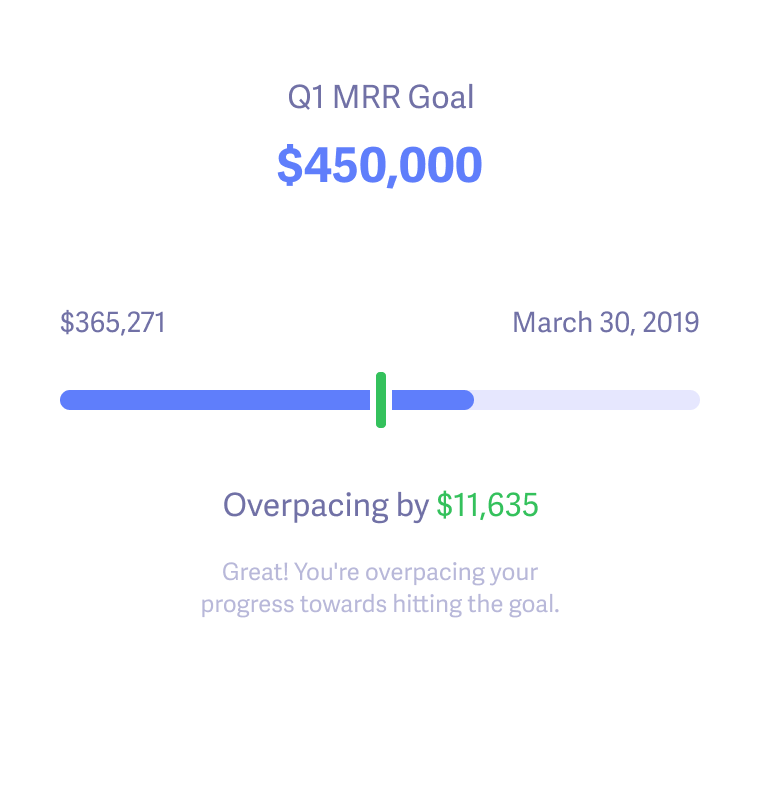
Track progress towards goals and rally the team to meet them.

Learn more
Smart Dashboards Dashboard
Dashboard

Dig into the details of what's driving growth and how it compares to previous months.

Learn more
Fforecasting Forecast
Forecast

Make well-informed projections for hiring, expansion, and departmental budgets.

Learn more

Comparing tools?

Try Baremetrics on your own data before you decide

  • Subscription metrics from Stripe, Braintree, Chargebee, Recurly, Apple, Google and more, in one dashboard
  • Built-in failed-payment recovery and cancellation insights
  • Forecasting with Forecast+
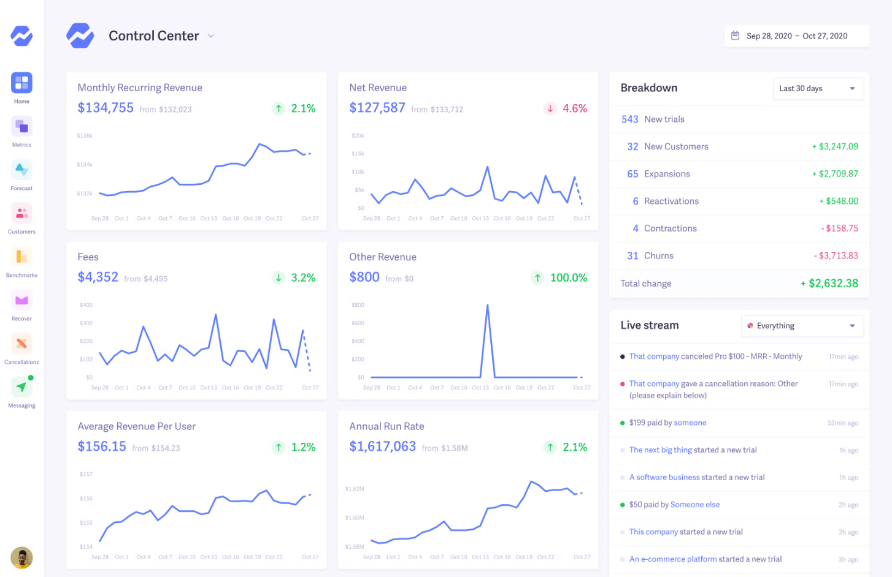
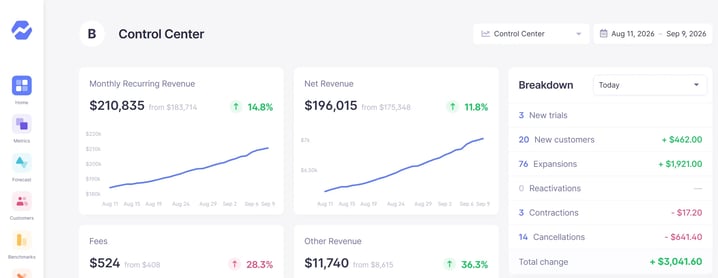
Baremetrics Control Center: MRR, net revenue and a daily breakdown of new customers, expansions and cancellations (sample data)

Start your free trial →Explore the live demo

Screenshot shows sample demo data.

Frequently Asked Questions

Look for a tool that connects to your Shopify Partner account and handles Shopify's billing quirks: payouts on Shopify's own schedule, no failed-payment events and usage charges outside the plan price. Baremetrics does this. It turns Partner API data into MRR, churn, LTV and net revenue for your app and lets you choose how revenue timing, churn timing, grace periods and refunds are counted.

Connect your Shopify Partner account to Baremetrics with a Partner API access token and your organization ID. Baremetrics imports your app's billing history and calculates MRR from app subscription payments. Usage charges and one-time sales are tracked separately as other revenue.

No. The integration is built for Shopify Partners who sell apps. It connects to your Shopify Partner account, which holds your app's billing data, not to individual Shopify stores.

Shopify bills app charges through the merchant's Shopify invoice, so payment can land later than the charge. By default Baremetrics counts a charge when the payment settles. You can switch revenue timing to the billing date so MRR moves as soon as Shopify bills.

A merchant churns when they uninstall your app, or when an expected payment doesn't arrive within your grace period. Shopify never reports failed payments, so you can set a grace period of 0 to 60 days. You can also choose whether churn counts at the end of the paid period or on the day the merchant leaves.

Shopify's Partner API doesn't expose customer email addresses. You can backfill them through the Baremetrics API and then use them with messaging, Intercom, HubSpot, segmentation and exports.

More questions? Contact us.

Growth-focused subscription businesses love Baremetrics

"Being able to analyze trial to paid activity has been brilliant and allows us to understand conversion rate and accurate LTVs. It helps inform which trial times work and which don't."


UW_Logo_Main


Baremetrics logo + Shopify logo

Start your 14 free day trial