Table of Contents
There are two types of email subscription lists that marketers can build: free and paid.
Free newsletters are great to build brand credibility, nurture and retain customers, but they can use resources like time and money without generating revenue. Paid newsletters, on the other hand, involve charging subscribers for your content.
For companies, establishing paid newsletters is a more challenging task. They have to produce top-quality or even exclusive content while keeping mailing frequency. But if they succeed, they may connect with leads better and get a considerable extra replenishing of the revenue.
In this article, we’ll cover more differences between free and paid newsletters, how to make a paid newsletter more efficient, as well as five powerful tools marketing teams can use.
What’s the difference between free and paid newsletters?
In the case of paid emails, subscribers pay for their newsletter subscription. Payments may be imposed annually or quarterly, but the most common charge for a subscription is a per-month option.
Paid newsletters can contain the same forms of content that free campaigns, but this will be more specific, high-quality, and personalized. Paid mailings can include some of the following:
-
exclusive or early access to briefs, industry updates, and forecasts
-
personalized expert advice
-
invitations to closed events
-
case studies and learning materials.
Paid emails can be indispensable to build brand credibility better. For example, for businesses that sell professional services or complex goods, e.g. law firms or medical consumables suppliers. The price for spreading unverified or outdated content for these companies is extremely high, so they should take care of the materials they send out. As such, content production is expensive, and companies may charge some agreed fees from subscribers.
How To Make Your Paid Newsletter Subscription More Efficient
Before signing up for an email newsletter service, you have to think of the outstanding value to provide subscribers with. Typically, it stems from your expertise. For example, niche leaders can share their business experience or market insights. They can organize webinars, strategic sessions, or presentations, and invite subscribers to participate via paid emails.
For small companies or start-ups, determining a subject may be more challenging. Still, they might play upon a unique experience or even mistakes and create success stories, case studies, or casebooks for paid mailings.
To create an effective paid campaign, you first need a strategy. It should include:
-
mailing frequency and timing
-
newsletters format
-
pricing plans
-
selling process
-
and paid newsletters promotions.
Content production costs a penny, so you have to calculate PnL – to estimate money benefits and costs to earn them.
Content Creation and Distribution
After you’ve created a mailing strategy, it’s time to figure out the production. To get started, decide how you’ll distribute the work of the following elements of your newsletter:
-
Strategy: set up and track campaigns, take care of your sender domain reputation, create proper email structure, and AB test emails
-
Graphic design: create visuals, including logos, printable reports mockups, and content illustrations
-
Video production: storyboards, timelines, sound effects, custom preloaders, etc.
-
Writing: conduct interviews with industry experts, prepare eBooks, edit, and put the text together into a cohesive newsletter.
As for content distribution, it’s better to use a newsletter service rather than sending it out manually. The automation software will manage your campaigns and assure mailings safety way better than a marketer who does all jobs by hand.
Email Newsletter Tool: What to look out for
There are many high-grade “newsletter as a service” providers to consider. The most popular tools offer similar features, e.g. drip campaigns constructors, sent email trackers, and detailed dashboards with analytics. So, the choice is mostly a matter of your UX/UX preferences.
Give priority to newsletter software with templates libraries as they will ease your day-to-day conversations with leads. And always start with a free trial. This way, you can test if the program fits your marketing goals before paying the whole price of an annual subscription.

Popular Newsletter Subscription Services
To help you choose the best newsletter service, we have reviewed 5 reputable email automation tools. They are trusted by global brands and enhanced with the latest tech, including AI and machine learning.
1. Snov.io – Upscale your email campaigns
Snov.io is a software that puts all kinds of mailings on a scale – from cold outreach to customer support and paid newsletters. It has much to offer for both newbies and ninja in email marketing, including email finder, drip email sequences, email tracking, and verification.
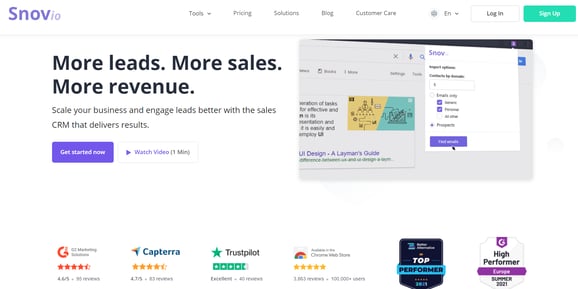
Image source: a snapshot from Snov.io
With Snov.io you can start an email campaign with only a list of prospect names or domains. The software will perform Web parsing, find email addresses, and instantly verify them. It diminishes the risk that your mailing domain will lose its reputation due to delivery errors, spam traps, or complaints.
Snov.io can carry out extensive searches, for example, explore up to 20,000 domains at a time. You can either start with uploading a ready contact database to Snov.io. In this case, the tool will verify the mailing list and highlight questionable emails, if any.
You’ll like utilizing the “Email Drip Campaigns” tool for paid newsletters because of the personalization options it has. Here, you can add behavioral triggers – to adjust the newsletters “queue” and be on time with relevant content in leads “Inboxes”. And there are vast opportunities for integrations with other apps – either directly or via Snov.io API.
2. AWeber – A well-established email marketing newsletter tool
This is a good alternative for small businesses that send out regular and paid newsletters. AWeber is a package deal. You can create email campaigns, and in addition to these – landing pages and push notifications.
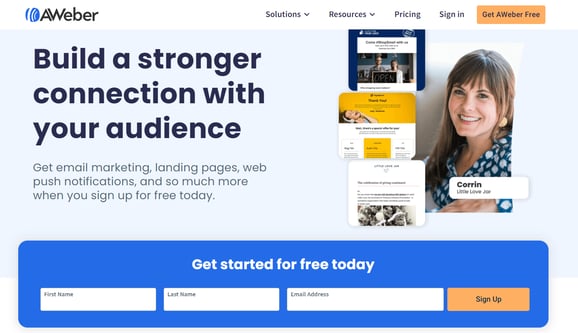
Image source: a snapshot from AWeber.com
AWeber offers a considerable templates library, a simple drag & drop editor, integration with Google Analytics and Facebook Pixel, and other perks. Email marketers can use it to:
-
segment target audiences and tidy contact list
-
automate cold outreach, follow-ups, and regular mailings
-
create, keep, and re-use email templates
-
automate email content production
-
monitor campaigns performance.
You don’t need several tools and a team of web designers to launch marketing campaigns or build funnels. For SMEs, AWeber can take over these all.
3. SendinBlue – Schedule your emails on-the-ball
SendinBlue is a “control center” for marketers. It is extremely intuitive and allows performing omnichannel marketing campaigns. You can use it to align advertising on social networks with SMS marketing or create transactional emails using data from CRM.
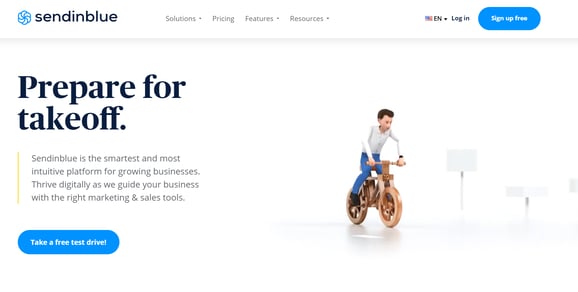
Image source: a snapshot from Sendinblue.com
SendinBlue has a comprehensive toolkit for email marketers. They can do anything – from email design to A/B testing. If you send out newsletters and want to impress leads by showing awareness of their needs and likes, you’ll appreciate personalization options. All email parts can be dynamically adjusted – from names to product images and even colors you use in the copy.
SendinBlue will come in handy to segment contact lists. You can group leads according to their declared interests, shopping history, previous engagement, or demographics. Or – reach out to your segments from Facebook and nurture prospects even better.
4. Campaign Monitor – Email marketing for multiple clients
As the name suggests, Campaign Monitor is all about building and managing email marketing campaigns. Its campaign constructor is handy and cuts out for personalizing newsletters as much as possible.
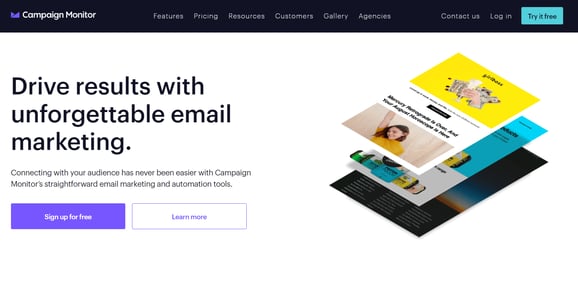
Image source: a snapshot from CampaignMonitor.com
Campaign Monitor allows users to:
-
create smart segments
You can re-use data from previous email lists or upload a new list to the campaign builder. The software is intelligent enough to distinguish different data fields, e.g. email address, name, gender, and use them as criteria to form recipients segments.
-
review links sent
Campaign Monitor checks hyperlink that you add to the newsletter and highlights those making demands on your attention.
-
design visual customer journeys
Every time someone visits your website and subscribes, you can add the person to a special mailing list. After, set up a sequence of emails that will remind leads about your product and convenience them step-by-step to make a purchase.
Campaign Monitor offers a powerful analytics suite, so you can know how newsletters perform. The suite includes real-time reports, a map view mode, charts showing opens and clicks over time, statistics on social shares, and other insights.
5. MailerLite – Ensure deliverability and scalability
MailerLite is similar to AWeber. It offers advanced features, such as website builder, and is powered by Stripe. The latter means you can create selling landing pages, including those to promote paid newsletter subscriptions.
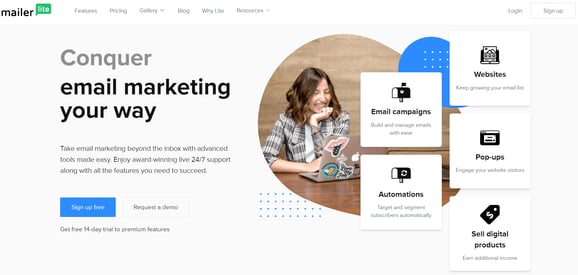
Image source: a snapshot from Mailerlite.com
MailerLite is a playground for marketers. Here, you can segment audiences, design promo visuals, create pop-up forms, and set up email automation. The tool allows launching triggered mailings, automating follow-ups according to customers’ purchase behavior, and seeing real-time reports.
MailerLite offers much for personalizing newsletters, as well. You can create interest groups and tag subscribers into these every time they do specified actions or remain inactive.
Choosing the right newsletter tool
Whether you use paid or free newsletter service, the tool you choose should fit your marketing goals. To pick the most suitable software, we suggest you start with free or freemium plans and test features. Before purchasing a subscription, double-check if the email automation tool has:
-
email finder and verifier, so you can keep your contact database full and clean from invalid email addresses
-
integration with CRMs and marketing automation tools; this will save much of your time on transferring data from one system to another
-
a toolkit to conduct email AB tests.
Finally, don’t forget to put the content value first. This is the key to creating a successful paid newsletter. Mailing software will deliver your email into recipients’ inboxes securely and on time. But without sharing high-value content, you can’t expect to get ROI on your efforts.