Table of Contents
An effective sales outbound strategy needs to balance two opposing elements: efficiency vs. personal touch.
There are dozens of templates out there for writing killer cold emails. But even the most brilliantly drafted email will remain ignored if the receiver doesn’t connect with its content.
On the flipside, who has the time to spend ten minutes on each prospecting email with no guarantee of returns? Nobody—and certainly not the busy founder.
Luckily, these days we have access to sophisticated software to help solve that exact problem.
Do you want to know how to connect with your ideal customers, send them automated customized emails, and avoid landing in the spam bucket—or, worse, Google SEO’s naughty list?
Then take a look at our favorite tools for supporting you through all stages of outreach.
- Prospecting
- Email automation
- Email validation
- Domain warming
Are you looking for insights into your business metrics? Take a look at over 26 different metrics using Baremetrics.
Prospecting
The best emails are the ones that go straight to the right people. It doesn’t matter how good the pitch is if the audience isn’t in the market for what you’re offering.
By now you should know your ICPs (Ideal Customer Profiles) (and if not, here’s a guide on determining your ICP), but how do you reach them?
We recommend starting with LinkedIn’s own Sales Navigator.
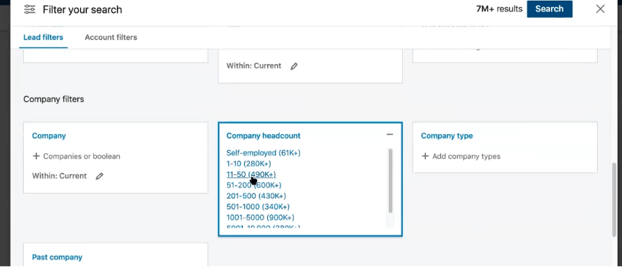
Let’s say your ICP is a web developer running a startup on the East Coast. Using Sales Navigator’s search engine, you can filter results by plugging in various titles, locations, industries, company headcounts, and so on, to come as close as you can to your ICPs.
With advanced automation, you could also extract LinkedIn search results to your CRM.
You can get pretty granular with this, such as selecting how many years someone has been in their current job position.
The goal is not to compile one master list of all your possible ICPs—it’s much more effective to run different searches for specific types of people, gathering up to 1000 people per list.
There are two reasons for this. Firstly, for the next steps to work correctly, this data has to interface with other pieces of software that just don’t perform as well with larger datasets.
Secondly, if you’re reaching out to more than 1000 people at once with the same email template, chances are these emails won’t be customized enough to truly connect with anyone on a personal level. This will result in poor open and response rates.
Sales Navigator principally works for outreach to individuals. To prospect for startups, Crunchbase Pro‘s database is the place to go.
Here’s where we come to another crucial factor in connecting with your ICP: timing.
The key here is to find companies showing recent signs of growth, such as high-level staff hires, first significant media coverage, and having their website break on the main search engines.
These inflection points in a business usually generate new needs (and spending capacity) for monitoring services and other SaaS infrastructure.
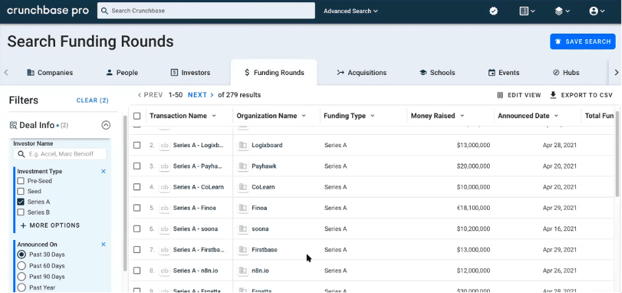
Crunchbase Pro enables you to look at some of the most significant triggers, notably which companies recently raised funds. Here, we’ve searched for organizations that raised Series A investment in the last 30 days.
Email Automation
Now that you’ve found your prospects, time to shoot them some emails!
But wait, LinkedIn and Crunchbase Pro don’t necessarily include external contact information. How do we overcome that?
Apollo contains a detailed database for both individuals and companies. Most importantly for our purposes, it interfaces directly with LinkedIn’s URLs.
This allows you to cross-reference the profiles you’ve selected through Sales Navigator with Apollo searches, pulling up the contact information for prospects listed on either database.
(Note: Some email addresses are actually the software’s automated best guess, based off the name and company. This is why it’s crucial to verify this contact information—we discuss this further under “email validation” below.)
Apollo’s full plan comes with an SMB level price tag; as a startup, you probably want the basic plan.
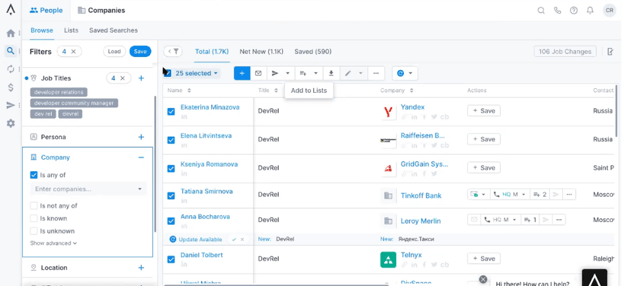
This requires a bit of manual exporting; essentially, you’ll need to pull data from every page individually by clicking “add to list”. This might be a good time to get assistance off Upwork.
Here’s a screenshot of Apollo’s search function. The filter system is pretty sophisticated.
For smaller-scale outreach in particular, Interseller is a fantastic tool.
Like Apollo, Interseller allows you to export profiles from Sales Navigator, search for contact information, and send customized emails.
The chrome extension offers a “select all” feature for a variety of databases on the top right corner to begin the process.
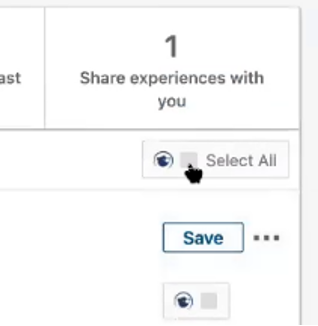
Interseller enhances emails for sales outbound with personalized messages.
While this is too high-touch for massive campaigns, if you’re targeting a smaller group of prospects, the “tiramisu” function is highly effective.
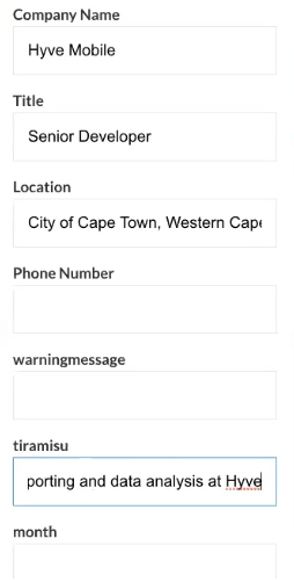
What’s a “tiramisu”? Essentially, it’s a hand-written hook. Take a look at this input bar.
Interseller has already scraped the corresponding profile for the individual’s information including company name, title, and location.
Now, the tiramisu section allows you to input something from that person’s profile that connected with you personally—and hopefully will connect back to them, too.
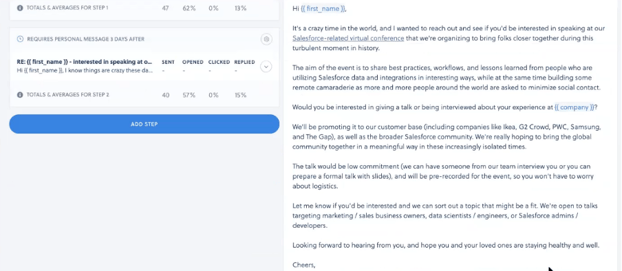
Interseller’s automator will then go on to create an email combining the data it mined automatically, with your personal touch.
The proposed email should look something like this:
Because it’s so customizable, Interseller is great for small-scale outreach. If you want to make the most use of its personalization capacities though, you’ll need to put in some manual effort of your own.
Outboundly offers a different approach to personalization. Their software actually uses AI to generate hooks you can go through and select which ones to use.
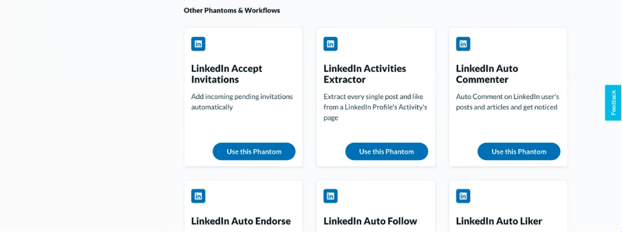
If you’re looking to do sales outbound at scale with minimal manual input, PhantomBuster is a full-service automatic growth tool that also interfaces directly with LinkedIn.
Tried and true sales wisdom tells us that a single email is rarely enough to convert a prospect. A general rule of thumb is the triple contact rule—any more than that can get annoying. For a list of all the emails we send during the lifetime of a client, take a look at this article.
With PhantomBuster, you can easily set up a multiple-email pattern, such as a longer introduction with two follow ups.
Their phantoms also allow you to automate connection requests, follows, endorsements, and commenting on LinkedIn.
(Note that LinkedIn recently changed its terms to bring its connection limits from 150/daily to around 100/weekly.)
Some other automatic growth tools worth checking out are Expandi.io and LaGrowthMachine.
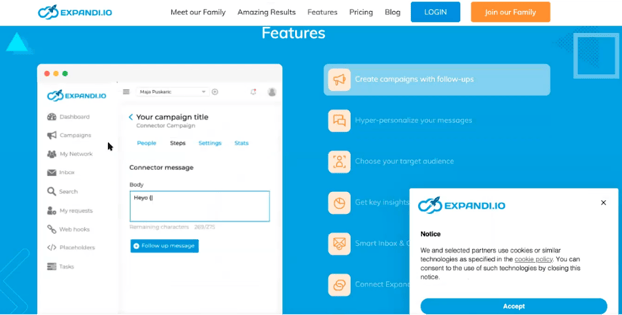
Expandi.io allows users to plan an entire campaign from a single platform.
Here you can plug in profiles from Sales Navigator, set up automated connection requests, and send out personalized messages.
If you’re looking to create a campaign that leaves no stone unturned and no prospect behind, LaGrowthMachine has you covered.
Offering 17 separate micro-services, there is practically no platform that this software can’t touch.
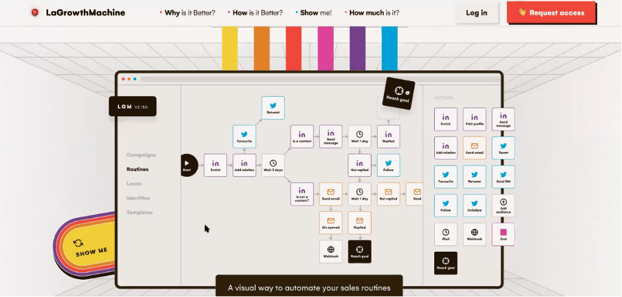
For a regular audience, this cross-platform strategy might be a little overkill. For targeting high-value prospects, however, it’s well worth it.
Email Validation
Due to the nature of databases, some of your farmed contact information will be invalid. Inevitably, a proportion of emails sent out will bounce.
For emails pulled straight out of Apollo and similar databases, we’ve found that this rate lies around the 8–10% mark.
According to industry standard, the bounce rate needs to remain under 2%. Above that level, you risk being flagged as spam, or even having your accounts shut down.
Email validators like BriteVerify, Bouncer, Interseller, and Lemlist provide critical tools for cutting the bounce rate down to safe levels.
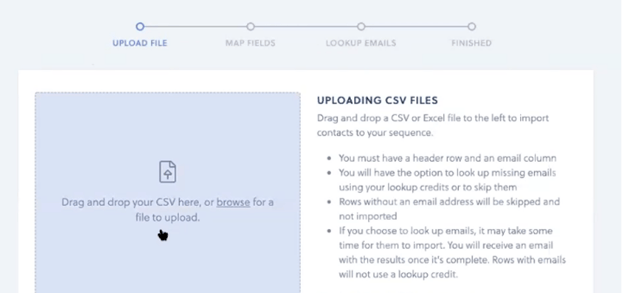
Here’s an example from Interseller.
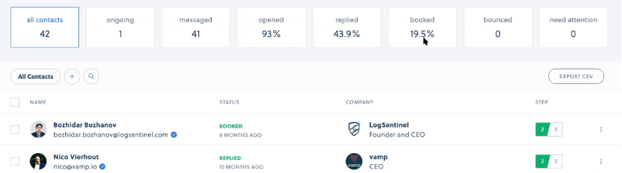
Plug in a .CSV list of contact information, map fields manually, and the software will give you its assessment on the viability of the emails you’ve put in.
Interseller will also track your bounce, open, and reply rates. This is a great way to self-assess how your campaign is going: for a high-touch campaign, those metrics should track around the 40%+ open rate and 5–10% reply rate. Naturally, those rates will be much lower for less customized, large-scale outreach.
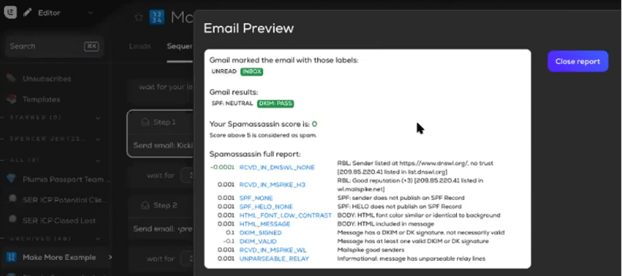
Lemlist dives even further into detail and will analyze emails for their SPF, DKIM, and Spamassassin scores. These are key metrics to keep track of in order to avoid having your carefully crafted emails rot away unread in the spam bucket.
Domain Warming
Lemlist offers another highly useful tool: domain warming.
It’s always a good idea to set up a new domain for outreach. This should have a name that can be recognized as part of your business but remain apart from your main operating domain.
Firstly, this separates high-priority communications with current clients and team members from the lower-priority mass of outreach emails sent out on a daily basis.
Secondly, if things do go wrong and your domain gets flagged as spam, you don’t risk having your actual operations domain shut down.
With a separate outreach domain, you can also afford to get a little more experimental in your campaign approaches.
Once you’ve set up a fresh sales outbound domain, make sure the SPF and DKIM records are set up properly.
Now we’re good to start emailing! Not so hasty though—the fastest way to end up marked as a spam account is to go from 0 to 60 on Day 1.
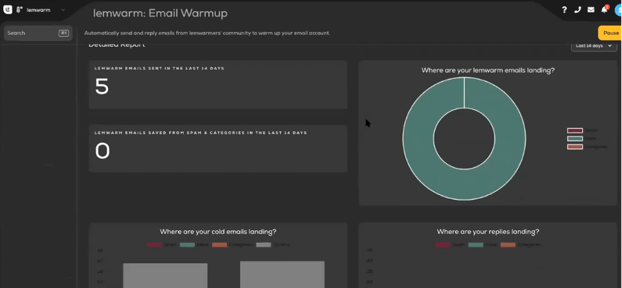
Instead, you’ll need to build up slowly. Lemlist’s “lemwarm” feature takes care of this nicely: all you need to do is set the “start” and “goal” numbers for emails and determine the time period to build up over. We recommend a minimum of 2–4 weeks to be on the safe side.
Conclusion
If you’re looking for a magic bullet to do all your outreach for you, the bad news is that it doesn’t exist.
The simple fact is that no tool can mimic your voice and passion, because no tool understands your product like you do.
What these tools do offer, however, is a way to reach a larger audience more quickly, more reliably, and with less effort, so you can focus on other aspects of your business.