
Table of Contents
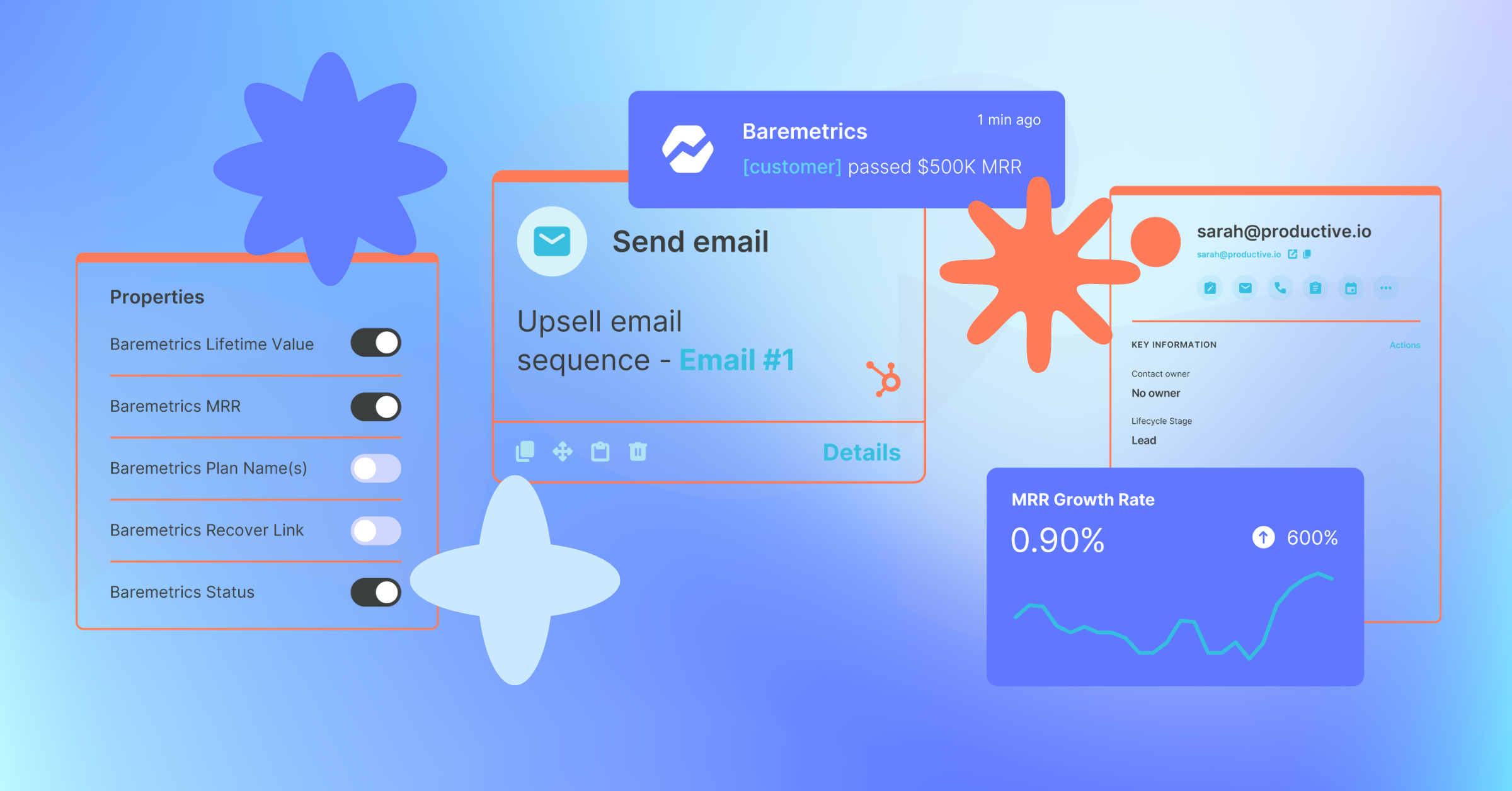
You open a HubSpot contact record before a big renewal call. You can see their deal stage, their last email open, and a note your Head of Growth left three weeks ago. But HubSpot only shows you part of the picture: it can't tell you whether their MRR went up last month, which plan they're on, or if they've been in a failed payment cycle for the past two weeks.
So you open another tab, pull up Baremetrics, and search the customer to find the figures you need. By the time you've tracked down the numbers, the call has started.
Now, with the Baremetrics HubSpot integration, the full picture is already there when you need it.
The tab-switching problem is bigger than it feels in the moment. Research shows that context-switching costs up to 40% of productive work time and for revenue teams jumping between a CRM and a separate analytics tool before every call, that adds up fast. Keeping Baremetrics data inside HubSpot eliminates that friction entirely.
What the Baremetrics HubSpot Integration Does
How the MCP unifies Stripe and HubSpot data.
If you've tried to track MRR inside HubSpot before, you already know how it goes. You build out custom properties and wire up a Stripe connection. But the two systems don't always talk to each other cleanly. A plan upgrade, a cancellation, or a billing cycle shift happens in Stripe, and suddenly HubSpot is showing something different from what's actually happening in your payment processor. You end up with inconsistencies you can't easily explain, and a number you don't fully trust.
The better approach, and what a lot of SaaS teams eventually land on, is to calculate MRR where it's actually reliable (in a tool built for it) and sync clean data into HubSpot from there. That's exactly what this integration does.
The Baremetrics HubSpot integration is a two-way sync, which is what sets it apart from a manual export or a custom-built workaround. It runs automatically every two hours in both directions, so there's nothing to maintain once it's set up.
Data quality issues are a root cause of the problem this integration solves. Validity's State of CRM Data Management report found that data silos are one of the most commonly cited drivers of poor CRM data quality, meaning teams not only lack the data they need, but often can't trust what they do have. Syncing revenue metrics from a purpose-built tool like Baremetrics, rather than trying to calculate MRR natively in HubSpot, is a direct answer to that problem.
Baremetrics → HubSpot: Revenue data in your CRM
Baremetrics pushes your Stripe subscription metrics into HubSpot as native contact properties. Access your MRR, LTV, plan name, customer status, and more all within each HubSpot contact. Your revenue metrics live directly on the contact record, stay current automatically, and work like any other HubSpot field: filterable in lists, usable in workflows, and available in reports and dashboards.
HubSpot → Baremetrics: CRM context in your revenue data
Choose up to 10 HubSpot contact properties to sync into Baremetrics as customer attributes, which include properties like lifecycle stage, lead source, deal owner, industry, company size, or any custom field you track. Once they're synced in Baremetrics, you can use them as filters to segment your revenue data by the dimensions that matter to your business.
That means you can build segments to view user churn by contact owner or break down your churn data by acquisition channel. The context you've built up in HubSpot becomes a way to slice your revenue data.

Why This Changes How Your Team Works
Most of your team already lives in HubSpot. Here's what having revenue data there means for each role:
Sales
Your reps know what's in their pipeline. What they're missing is the revenue context behind each sales contact: such as which accounts are growing, which ones have been contracting, and which ones are worth prioritizing before the quarter ends.
With Baremetrics LTV and MRR synced directly into HubSpot contact records, that context is already there where they work.
Customer Success
Without revenue data in HubSpot, your CS team is working off engagement signals alone. They’re looking at scattered signals (like email opens, support tickets, and last login info) to understand which accounts to prioritize. That's useful, but it's not the full picture.
With Baremetrics synced in, they can see what each account is worth and how their MRR has changed over time, right from the HubSpot contact record. That makes a real difference when you're deciding which accounts need attention.
Marketing
Your marketing team can see which campaigns drove signups. What's harder to answer is which ones drove revenue and which brought in customers who churned out two months later.
Syncing HubSpot lead source, UTM parameters, or campaign fields into Baremetrics lets you filter LTV and retention data by acquisition channel. It's a straightforward way to see which sources are actually bringing in your most valuable customers.
5 Ways to Use It Right Away
Not sure where to start? Here are some of the use cases that have resonated most with teams already using the integration.
Revenue quality by sales rep. Sync HubSpot Deal Owner into Baremetrics and compare LTV and churn rates across your team. You can see which reps are closing deals that hold up, and use that to inform how you coach your sales team.
ICP validation. Sync HubSpot Industry and Company Size, and filter your churn data by those fields. It's a useful way to check whether the customers you're targeting actually behave the way you'd expect in the revenue data.
Marketing ROI by channel. Use HubSpot Original Source or Campaign UTMs alongside Baremetrics LTV and MRR to see which acquisition channels are bringing in your most valuable customers, not just the ones converting at the lowest cost.
Geographic and pricing intelligence. Sync HubSpot Country or Region into Baremetrics to look at ARPU by market. Helpful if you're thinking through pricing strategy or where to focus expansion efforts.
Revenue-triggered workflows. Trigger HubSpot workflows when a customer's MRR crosses a threshold, their plan changes, or their LTV reaches a milestone, so your team is proactively reacting to what's actually happening to revenue.
Already a Baremetrics customer? Head to Settings → Integration → HubSpot to connect HubSpot now. Takes less than 5 minutes.
How to Set It Up
Setup takes under five minutes and doesn't require a developer.
- Go to Settings → Integrations in your Baremetrics account.
- Connect via OAuth: no API keys or manual credentials needed.
- Choose up to 10 HubSpot contact properties to pull into Baremetrics for segmentation.
- Enable the Baremetrics contact fields inside HubSpot to surface your revenue data on contact records.
Watch “How to Connect Baremetrics to HubSpot | Step-by-Step Integration Tutorial” on its own page — with a full summary, chapters and related reading.
From there, the sync runs automatically every two hours in both directions. Baremetrics matches your Stripe customers to HubSpot contacts by email address and updates existing records, so it won't create duplicates. It also pulls in your full Stripe history on first connect, so your historical MRR and churn data is there from day one.
Get Started
The Baremetrics HubSpot integration is available on every Baremetrics plan. If you're already a customer, you can connect HubSpot today from Settings → Integrations. Access our help doc here for more detailed instructions.
Not on Baremetrics yet? Start a free trial and connect HubSpot on day one.
If you run into any issues during setup, our team offers hands-on onboarding support. Book a setup call here or reach out to support@baremetrics.com and we'll help you get connected.

