Table of Contents

If there’s one tool we use at Baremetrics as often as Baremetrics, it’s Intercom.
We use Intercom so extensively that sometimes it feels like I’m an unpaid salesperson.
“One more question. What kind of chat are you using?”
“What plugin is this live chat? It’s brilliant!”
“What do you use for your chat? Looks nice. :)”
So why then am I writing a many-thousand word how to run your entire business on Intercom article? Intercom’s not paying me (though I will take another t-shirt folks, mine is getting a bit worn out!).
Because it’s not just about Intercom. It’s about engaging, educating, and retaining your customers. Intercom just happens to be our tool of choice for doing that.
So without further ado, here are a whole bunch of ways we use Intercom at Baremetrics.
Support and Sales
Customer support is the thing we actively use Intercom for the most. It’s also what the customers themselves notice most (see the numerous examples above of people asking us about our super cool chat software).
Inbound Sales
Intercom’s Acquire package allows you to interact with users that visit your marketing page.
You can heavily customize when and where a message is sent, and the content of those messages. We have messages set up for first time visitors, repeat visitors, and people looking at the pricing page.
Let’s take a look at how we setup the pricing auto-message.
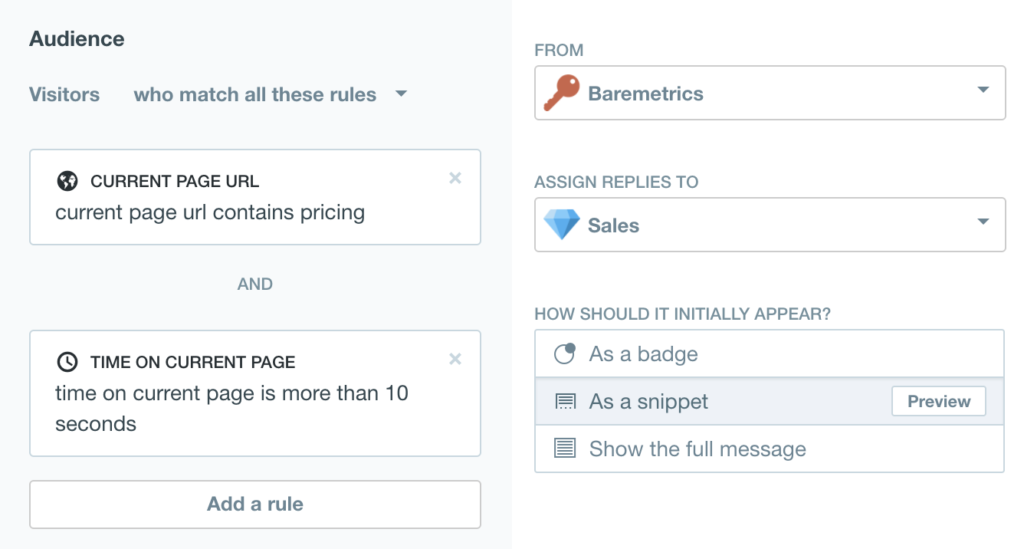
On the left are the parameters, and on the right are how the message appears and what team it’s assigned to (more on that later)
What we’re doing here is anticipating based on behavior that the person has a question about pricing. This leads to a conversation, which leads to a trial, which hopefully leads to a customer. 🙌
In-App Support
This is where Intercom takes the cake and eats the whole thing in one sitting. 🎂
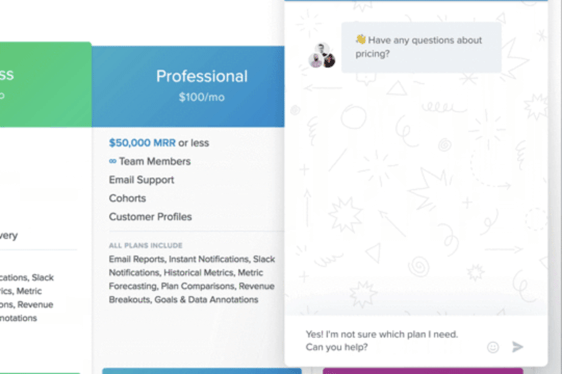
When we ask our customers why they like Baremetrics, the top two reasons are ease of use and support. A huge part of that is Intercom Resolve. Customers can get the support they need with one click.
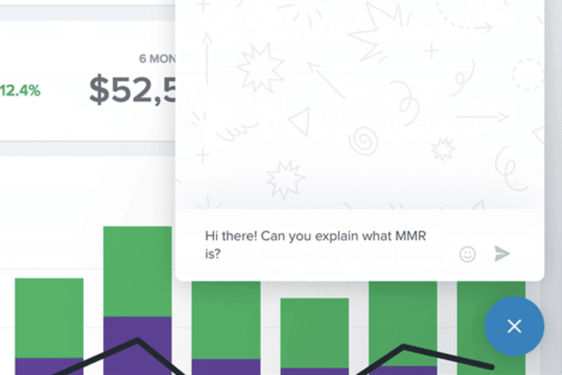
Customer has a question? With one click they’re talking to us. And as you’ll see later. Want to know how to do customer support at a startup? We’ve got you covered.
Tagging Feature Requests
Much of the stuff we’ve shipped and plan to ship in the future is driven by feature requests from customers and leads.
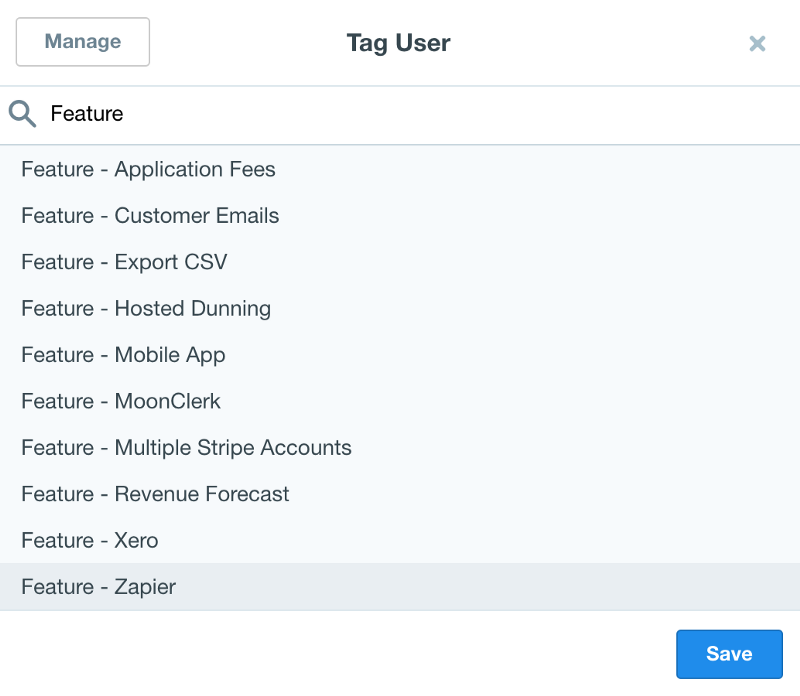
A sampling of some of the features customers have requested.
The beauty of tagging is that, done over a long enough period of time, you’ll have a substantial segment of leads to reach out to when a new feature is ready.
Insights
Built-in insights let you know how well you’re supporting your customers.
You want to keep a close eye on your median response time, who is sending the most responses, and the days of the week that tend to be busiest.
Here are a few snapshots from our insights.

Considering we don’t yet have a 24/7 support team, not bad!
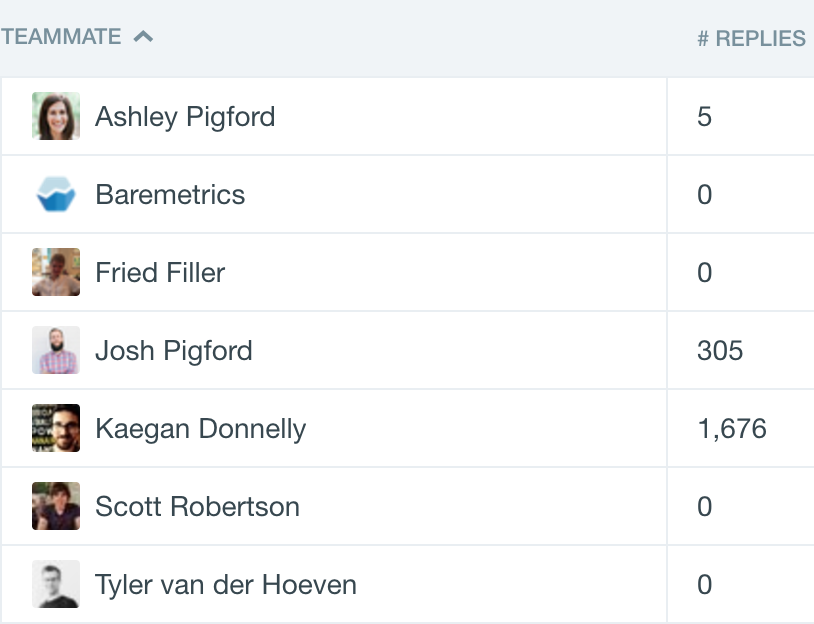
For larger teams it’s helpful to know what the division of labor looks like. At Baremetrics it’s mostly a one person show.
Teams
So you’ve got messages coming in from leads and existing customers. You’re keeping tabs on open bugs, and at larger companies, different teams like marketing, QA, and Sales are reaching out to customers using Intercom.
You can use Intercom with one big queue or by assigning messages to a specific person, but that gets messy really fast. You really ought to be using teams!
Here are the teams that we use. Larger companies may have additional teams.
Support — All messages from existing customers are automatically routed here using rules.
Baremetrics — This team is used to message folks on the marketing page.
On-Hold — Bugs happen. You could leave messages with users waiting on a bug fix in this big list, or close them, but we found it’s helpful to bundle them all here.
Sales — Messages from leads and folks who are currently on a trial are automatically routed here.
Help Documentation
The newest entrant in the Intercom family of product is Educate. Imagine a help desk. Congratulations, you’ve imagined Intercom Educate! It’s extremely simple and straight forward for both you and your customers.
Here’s one of my favorite features in action.
Just like with Intercom Engage, you can use Insights to see how well articles are performing and what things users are searching for.
About a month ago we noticed that people were searching for how often we update their data. So we added an article explaining it. One month later, and it’s our most viewed article.

I too have an addiction to checking our Baremetrics dashboard, so I get it. 😂
Educating and Converting Trial Customers
At Baremetrics we have a 14 day trial. Intercom allows us to communicate with and educate folks during those two weeks about Baremetrics from inside Baremetrics. Noice! To do this we use Smart Campaigns.
Campaigns send a series of emails and/or in-app messages 1–5 days (your choice) apart until a goal is reached or you run out of messages.
You rank each message in order of priority.
Each message can also have its own parameters, such as trial_started_at less than 14 days ago or Last seen more than 5 days ago to make sure the right messages goes out at the right time.
Intercom handles the rest. Every 1–5 days the message that matches all the parameters that is highest on the list is sent out.
Confused? That’s okay. It took me a bit to wrap my head around as well. Here’s a video from Intercom that explains it.
If you want some more nitty gritty instruction on how to setup a campaign, check out Intercom’s help article on the subject.
E-mail vs. In-App
In-app messages perform better. They are more likely to be read, more likely to be actioned, and more likely to be replied to. Intercom kicks ass at this.
We use in-app messages to offer demos, check in to see how things are going, and highlight awesome features that folks likely won’t find on their own.
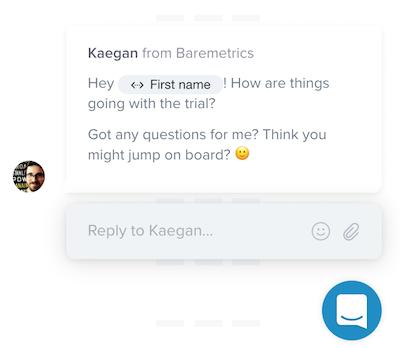
But often the struggle with trial customers is getting them into your app in the first place. We’ve all done it. Sign up for a cool looking new tool, have a look around, then get distracted and promptly forget all about it.
That’s where email comes in!
The beauty of campaigns is that you can set them up so that emails only go out when someone isn’t using the app. Otherwise, the much more betterer in-app messages will be used.
The key is to order the messages justttt right. Let me show you how. 👇
1. Welcome and Trial Expired
The two highest messages on your list should be your welcome message and the trial expired message.
The welcome message has no parameters at all. Someone signs up, and away it goes.
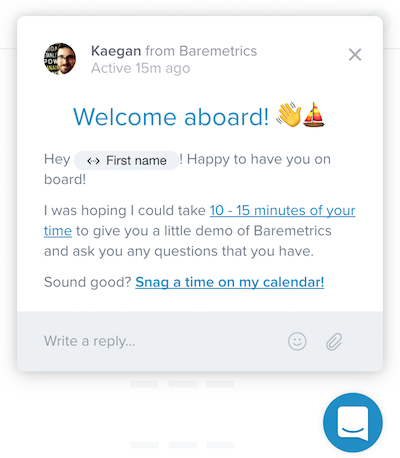
Example of a welcome message
You need to make sure your trial expiration email is sent exactly at the end of the trial.
To do this, add a parameter to the trial expired email so it sends exactly when your trial concludes (in our case it’s 14 days).

A parameter that ensures the trial expired email only goes out at the end of the trial
Just because it’s second on the list doesn’t mean it’s the second message to be sent. Remember, every day Intercom sends the message highest on the list that matches the current parameters. Hasn’t been 14 days since they signed up? Then the user will get a different onboarding message.
2. Inactive Email Messages
The next chunk of messages are for inactive trial users. For these you want to set a last seen more than 5 days ago parameter.
At Baremetrics we put a huge focus on getting people on the phone. We’re lucky to exist in a B2B space where the average customer pays us about $100/mo and sticks with us for at least a year or two. That justifies having a higher touch sales process.
Here is one of the emails that we send.
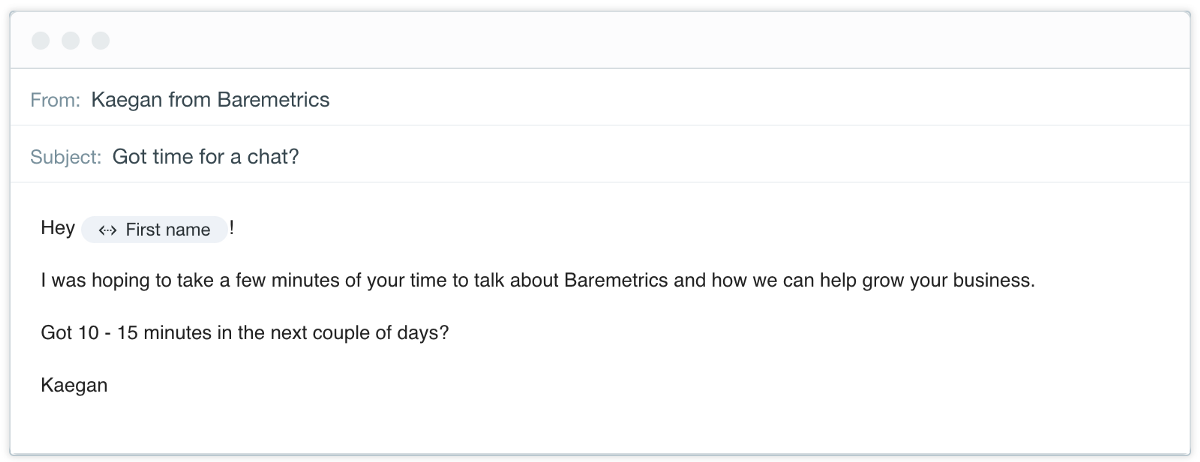
3. In-app Messages
If a customer in a campaign is still within the 14 day trial and is actively using your app, they’ll get your in-app messages! We recommend having at least half a dozen of these.
These messages don’t require any parameters except perhaps to target a specific page. That way you can educate your customer on a particular feature while they’re actually looking at that specific feature. Neat!

4. Followups
No matter how good your product and onboarding are, some folks just aren’t going to stick around. Maybe they can’t afford it, or they’ve chosen a competitor, or you weren’t what they were looking for all along.
We unashamedly send a bunch of emails to trial users who didn’t convert asking “why?”
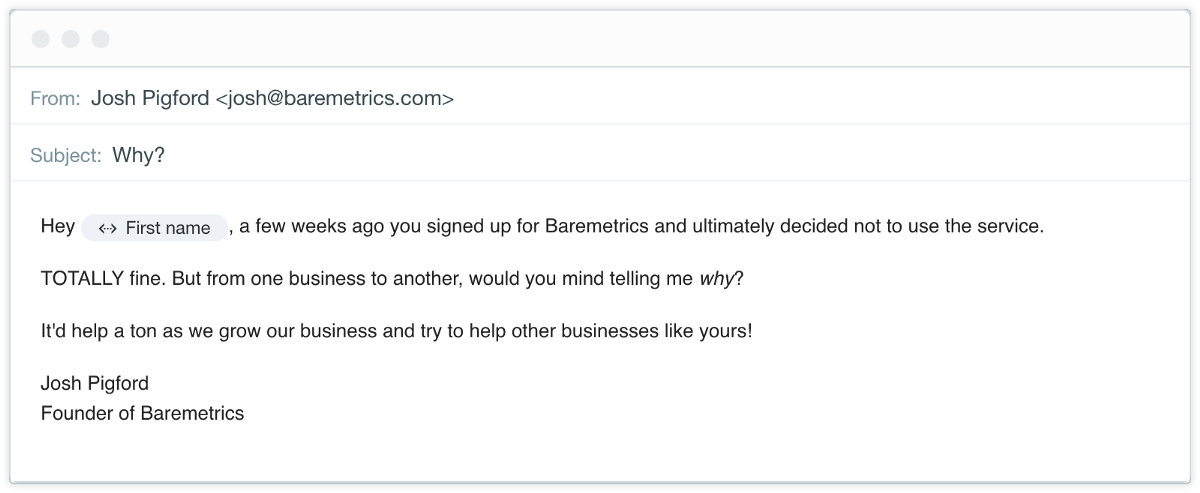
The key is to stop sending those emails once they do actually reply. Using Intercom’s Replied to Message parameter ensures that once someone replies to one of these emails, we don’t keep nagging them.
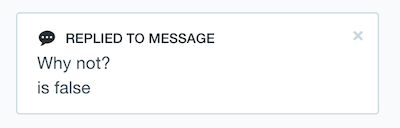
This will ensure that you’re only being a little bit annoying. 😉
Engaging existing customers
Some folks set up Intercom for support and on boarding and leave it at that. Not us! Intercom is one of the most powerful churn prevention tools you have at your disposal.
If you want to keep customers for months and years, you gotta keep ‘em busy! What got them to pull out the credit card six months ago might not be enough to keep them around today.
That means pointing out new information, hyping new features, and gathering feedback. Keep the line of communication open. 👐
Announcing new features
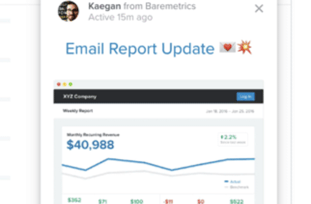
Intercom’s in-app messages and support for emoji and GIFs makes it the perfect vehicle for getting customers excited about new features! 🆕🎉👯
Here’s an example where we used a full page takeover.
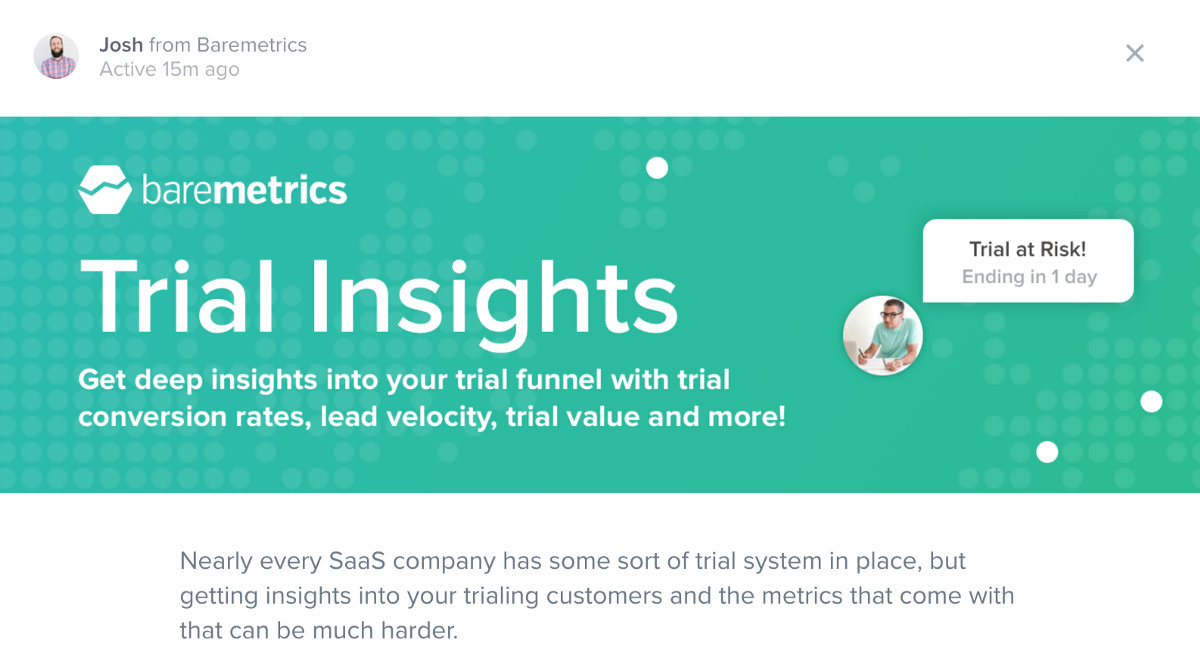
Do you remember from before how we tagged users who asked for features? Make sure to send an email message to those folks letting them know the feature has been released!
Product Development/Feedback
Using Intercom for product development and feedback is a win-win. At Baremetrics, we give our most loyal customers early access to new features in exchange for feedback. Nice!
Here’s how it works.

Folks matching the above parameters get an in-app message inviting them to join our super fantastic Beta Team! What you’re looking for here are people who use your product a lot… your superfans!
Anyone who accepts entry into the Supreme League of Awesome Beta Testers gets a tag in Intercom. When we have a feature to test, we send those folks an in-app message, give them access to the new feature, and let the feedback pour in!
Annual Upgrades
We generated $14,000 in cash by using Intercom to offer annual upgrades. By reaching out to customers to upgrade while they were using Baremetrics, we had an incredible success rate.
You can read more about how we did that on Intercom’s website.
Hyper-targeted messages
One thing we haven’t touched on is pumping data into Intercom. You can use Intercom’s own API to bring in data or if you’re already using Segment you can bring your data in that way.
Doing so will unlock a near limitless number of ways to message customers based on what they’re actually doing in your app.
For example, we managed to get hundreds of folks to use a super powerful feature that they hadn’t used before by targeting them very specifically.
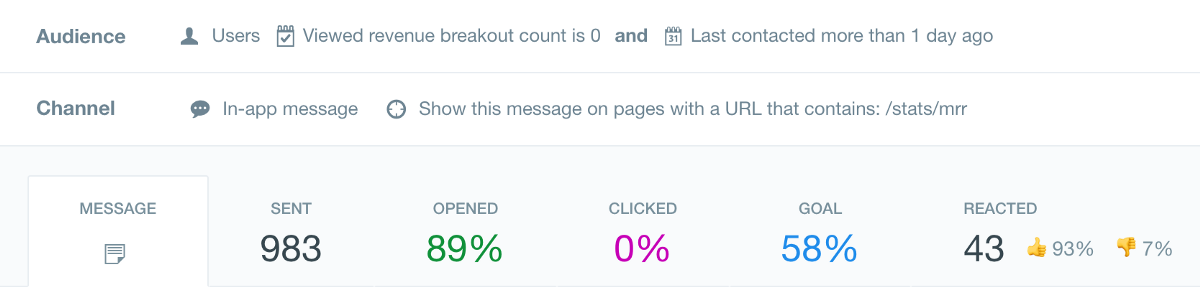
Viewing the MRR page and have never used the Revenue Breakout before? Here’s a message to let you know that it exists!
A full 58% of those who got the message went on to use the feature. 💥
Closing thoughts
Intercom is one of the most expensive tools we use at Baremetrics, but we don’t blink an eye when the invoice comes in every month. We know that we’d be lost without it.
The key to a successful Intercom strategy is to be exceptionally targeted. Always send highly applicable in app messages, and use email messages mainly as a way to get people back into the app.
What interesting ways have you used Intercom to grow your business?